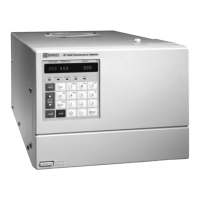
ICS-1000 Ion Chromatography System
5-6 Doc. 031879-01 3/03
5.1.3 Calibrating the Flow Rate
When to Calibrate
If you run the ICS-1000 Operational Qualification or Performance
Qualification and it fails.
Items Needed
• 0.076 mm (0.003 in) ID yellow PEEK tubing (P/N 049715) to create
14 ± 2 MPa (2000 ± 300 psi) of backpressure (if needed)
• Deionized water
• Balance capable of weighing more than 10 grams with 0.001 grams
readability
• Tared beaker
To Calibrate
1. Open the ICS-1000 Wellness Panel in Chromeleon (see
Section 5.1.1
).
2. Verify that there is 14 ± 1.4 MPa (2000 ± 200 psi) of backpressure.
3. On the Chromeleon Wellness Panel under Pump Flow Rate
Calibration, select Reset Cal.
4. Select
1 mL/min to set the flow rate and begin pumping deionized
water.
5. Allow the pump to stabilize for 20 minutes.
6. Click
5.00 min to start the timer. Immediately start collecting water
into the tared beaker.
7. Collect the water for exactly 5.00 minutes.
8. Enter the weight of the water (in grams).
9. Click
Calibrate to download the value to the ICS-1000.
10. To recheck the value, wait at least 15 minutes, and then repeat the
calibration.
11. Click
Log to record the new calibration value in the Audit Trail.


 To Next Page