ICS-1000 Ion Chromatography System
4-12 Doc. 031879-01 3/03
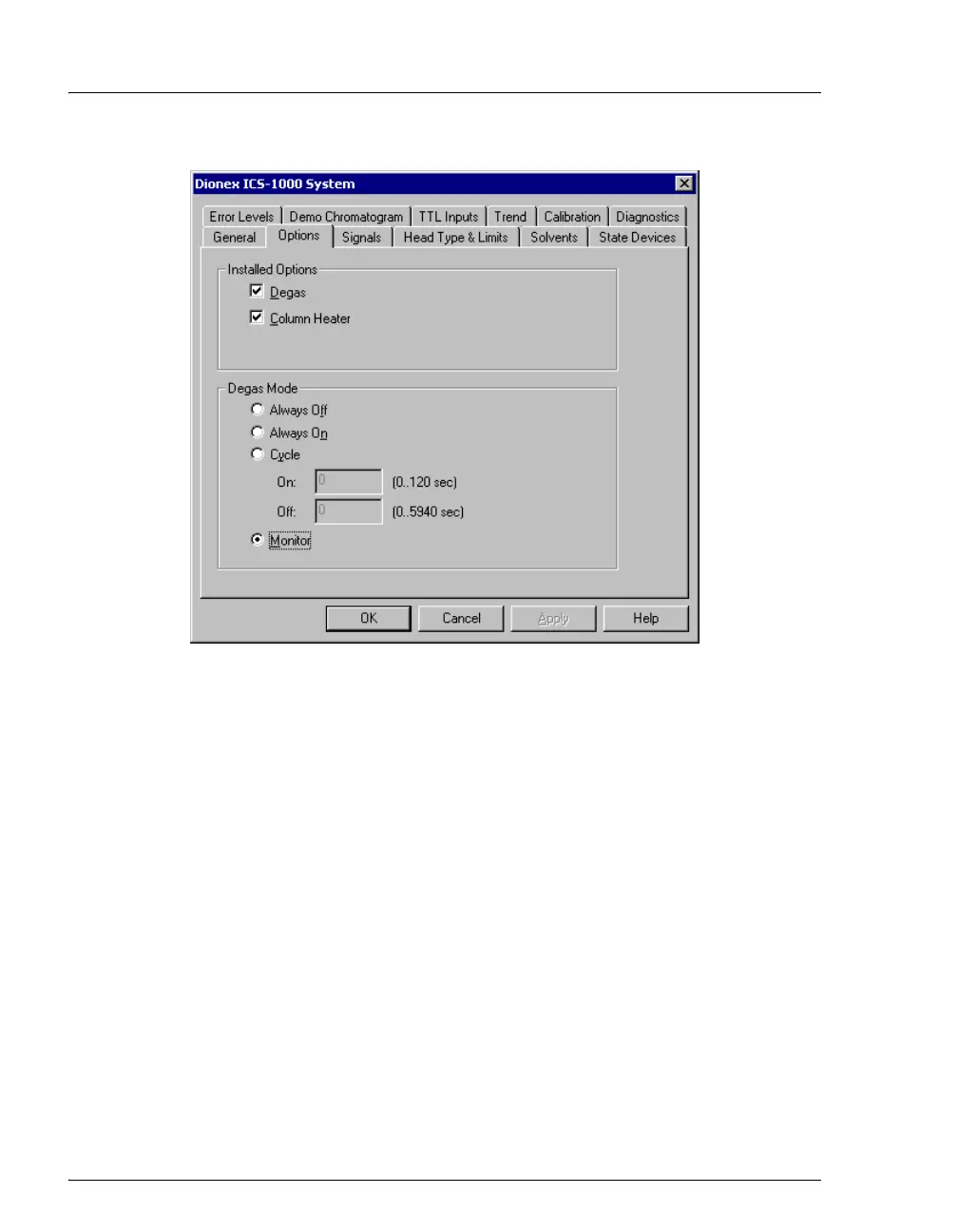
Figure 4-1. ICS-1000 Server Configuration Properties: Options
3. Verify that the Degas check box is enabled under Installed Options.
4. Check the Degas Mode settings. Select either the Monitor option or
the Cycle option. If you select Cycle, set the time on to 30 seconds
and the time off to 10 minutes. If Cycle is already selected, try
increasing the time on or decreasing the time off.
• End-line filter is dirty or clogged
When new, end-line filters (P/N 045987) are pure white. If the system is in
continuous operation, change the end-line filter weekly, or whenever it
becomes discolored. Replace the filter more often if bacterial buildup is
visible or if the eluent does not contain solvent. See the Pressurizable
Reservoir Installation Instructions for more information about end-line filters.
NOTE It is especially important to regularly replace end-line
filters when using aqueous eluents, which may
contaminate the filter with bacteria or algae. The
bacterial buildup may not be visible.



 To Next Page