Chapter 3
18
Changing Channels
CHANGING
C
HANNELS
Using the Up an
d Down Arrows
While watching TV, if you want to change the channels one at a time to
see what’s on, press the UP and DOWN ARROWS on your remote
control. You can also change the channels the same way usin
g the UP
and DOWN ARROWS on the receiver front panel.
Entering a Channel Number
While watching TV, if you know the specific channel you want to watch,
enter the channel number using the NUMBER PAD on the remote
control.
USING
THE
P
ROGRAM
G
UIDE
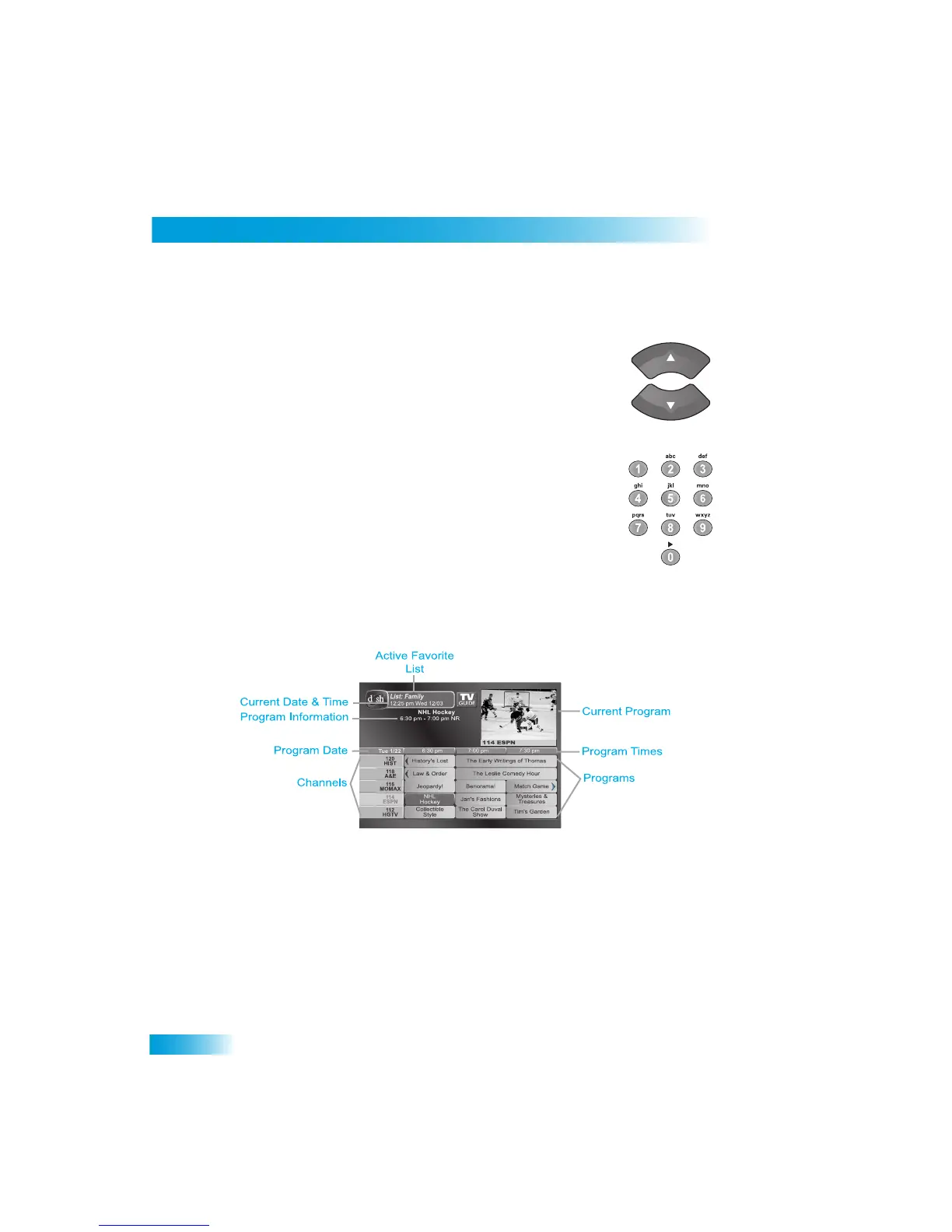
You can use the Program Guide to see what programs are on, to chan
ge channels, and to
set up recordings. To access
this guide, press GUIDE.
• A red background behind a channel usually means you have not subscrib
ed to the
channel. After you subscribe to a channel, you can tune to it. To subscrib
e to a
channel, please call 1-800-333-DISH (3474).
•
A yellow background behind a channel is for
off-air digital channels. See page 77 for
instructions to connect an off-air antenna to your receiver.
• The Program Guide shows which Favorites List
is active. If All Chan is active, the
Program Guide shows all the channels. The All Sub list shows only the ch
annels in
your subscription. If you activate anothe
r list, the Program Guide shows only the
channels on that list. See page 27 for information on Favorites Lists.



 To Next Page