11
• The Program Guide shows programs on now and coming on with
in the next two days.
The guide does not show
programs that have ended.
While using the Program Banner, you can:
•
Press PAGE UP or PAGE DOWN to move a page of channels at a time.
• Enter the number of hours you want to skip forward or backward in th
e schedule, and
then press the RIGHT/LEFT ARROW to move
forward or back in the schedule. The
Program Guide shows the number of hours.
USING
THE
B
ROWSE
B
ANNER
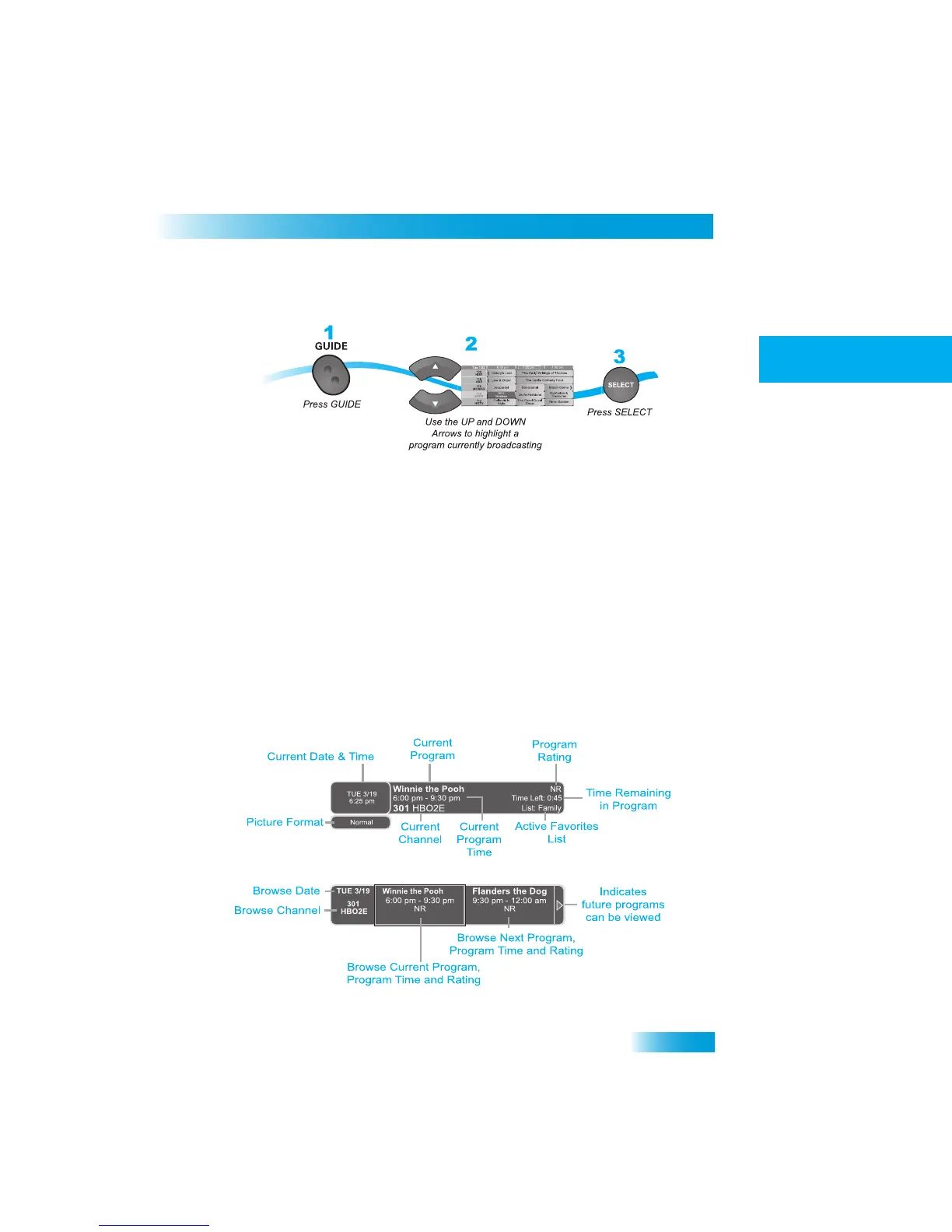
Use the Browse Banner to see
what other programs are on
and not miss any of a program
you are watching. When the Browse Banne
r is open, you will see the Program Banner
information on the current program at the top of the screen, and
on the left side of the
Browse Banner at the bottom of the screen. At
the bottom right of the
screen is information
on the program that is on next on the same channel.



 To Next Page