Chapter 11
70
Connecting to a TV
CONNECTING
TO
A
TV
This section describes how to connect receiver output ports to a TV
. You can connect the
receiver to a standard definition (SD) TV or a high definition TV (HDTV)
. Select one of the
following methods.
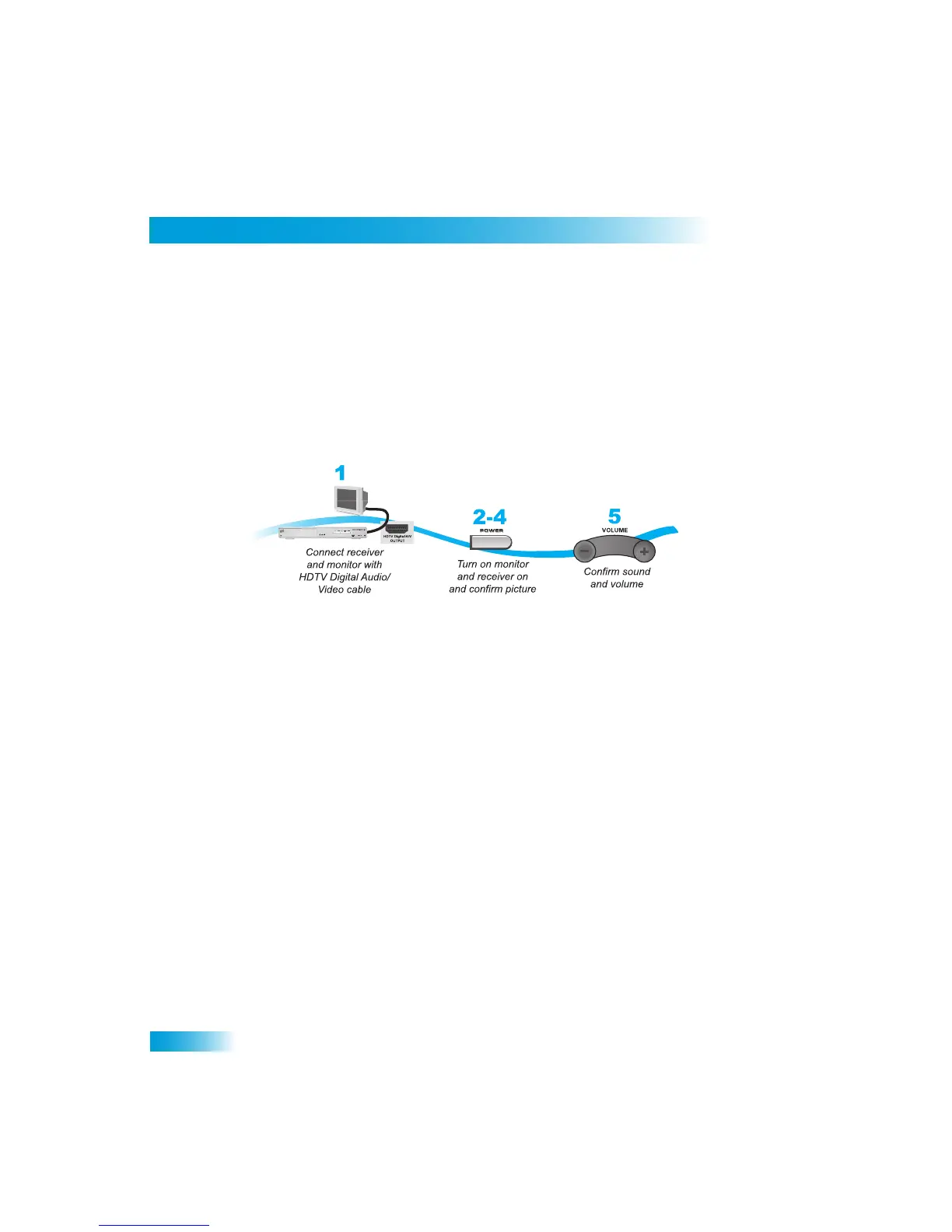
HDTV Digital Audio/Video Connections
The HDTV Digital Audio/Video connection prov
ides high-quality audio and video to your
HDTV or HD Monitor in one cable.
1
Connect an HDTV Digital Audio/Video cable between the HDTV Digit
al Audio/Video
connection on the receiver and HDTV set or monitor. You may need
to use an adapter.
2
Turn on your receiver and TV using the front panel buttons.
3
Confirm that you are getting a picture from th
e receiver. Consult your HDTV user’s guide if
you need to change your HDTV to display from the Digital Audio/Video
input.
4
If you do not see a picture, see
No Picture on the HDTV
on page 71.
Note
: In most cases connecting the Digital Au
dio/Video cable will pr
ovide plug-and-play
control of the monitor’s display resolution and other settings. However
, your HDTV may
require selecting a different format to display from the receiver during setup
.
5
Turn up the volume on your HDTV and confirm you have sound. If you
don’t have sound,
your system may require you to connect audio
(red and white) RCA-type cables between
the receiver Audio Outputs and audio input connections.



 To Next Page