JT40/JT40 All Terrain Operator’s Manual Controls - 27
Set-Up Console
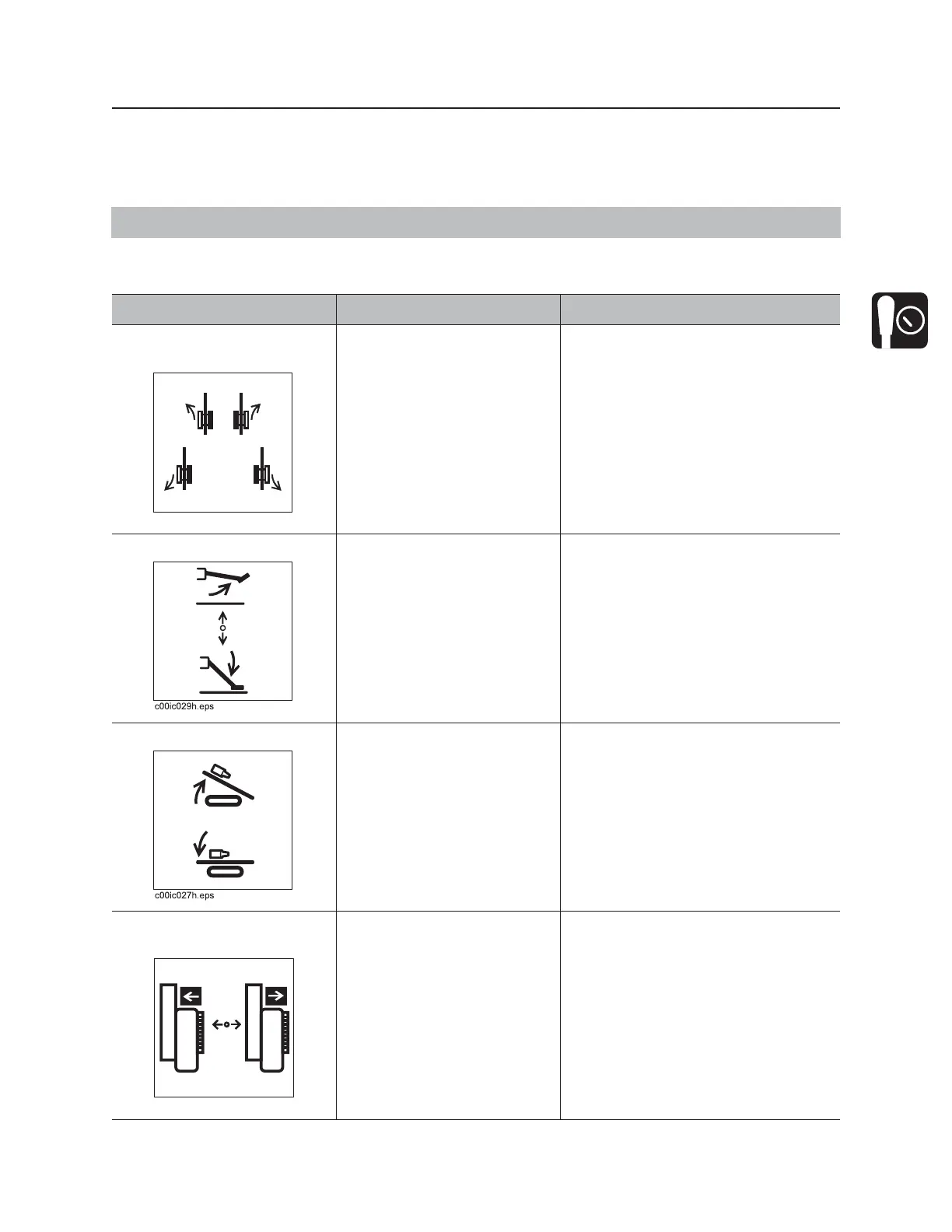
Multifunction Joystick Control Modes
The multifunction joystick controls are capable of controlling multiple systems by selecting various modes.
Multifunction Joystick (Right) Modes
IMPORTANT: To switch between modes, see “Menu select switch” on page 26.
Item Description Notes
1. Single joystick ground
drive control
To move forward, move up.
To move backward, move
down.
To steer, move left or right
while moving forward or
backward.
• Operator presence switch must
be pressed and operator seat
must be empty for control to work.
• See “Steer Unit” on page 108 for
more information.
2. Right stabilizer control To raise, push up.
To lower, pull down.
IMPORTANT: Lower left and right
stabilizers to the ground together,
then adjust individually.
3. Back frame tilt control To raise, push up.
To lower, push down.
IMPORTANT: To ensure a stable
platform for drilling, use front and
back tilt controls together to set frame
at desired pitch without raising tracks
off the ground.
4. Operator station slide
control
To move toward drill, press
left.
To move away from drill,
press right.
Drill icon will appear when operator
station is in correct position for drilling.



 To Next Page