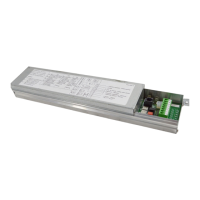
Need help?
Do you have a question about the DITEC EL500E and is the answer not in the manual?
Details on how to connect the power supply to the control unit.
Connecting external push buttons for door control functions.
Procedure to enter the control unit's programming mode using DIP switch.
Steps for initial programming and checking LEDs and display indicators.
How to erase settings and restore default programming.
Wiring instructions for connecting encoder limit switches to the control unit.
Setting up the control unit for encoder limit switches and checking motor rotation.
Procedure for adjusting the UP and DOWN limit switch positions for encoder motors.
Adjusting the precision of the UP and DOWN limit switch positions.
Wiring instructions for connecting mechanical limit switches to the control unit.
Setting up the control unit for mechanical limit switches and checking motor operation.
Configuration for the 'Car Wash' function, related to photocell activation.
How to temporarily stop the automatic closing function.
Setting up automatic closing from a partial opening state.
Connecting and configuring photocells for safety.
Connecting and configuring different types of safety edges.
Connecting and configuring a secondary movable safety edge.
Configuring the behavior of the auxiliary relay (K3).
Defines how the door operates (e.g., hold-to-run, impulse).
Selection of the type of safety edge to be used.
Connecting and configuring the flashing light for door movement.
Configuring the flashing light to work as a courtesy light.
Defining the pulse mode of operation for the 'Go Function'.
Explanation of error codes indicated by the D15 LED for electronic limits.
List and explanation of error codes shown on the control unit display.
 General
| Brand | DITEC |
|---|---|
| Model | EL500E |
| Category | Control Unit |
| Language | English |

 To Next Page