revision: 0
FlexxPump 125 (24V)
User Manual
31
EN-
SCHMIERSYSTEME
DIRECT LUBRICATION SYSTEMS
D L S
6.3.4 INF-Menu operating mode Hour-Mode -h-
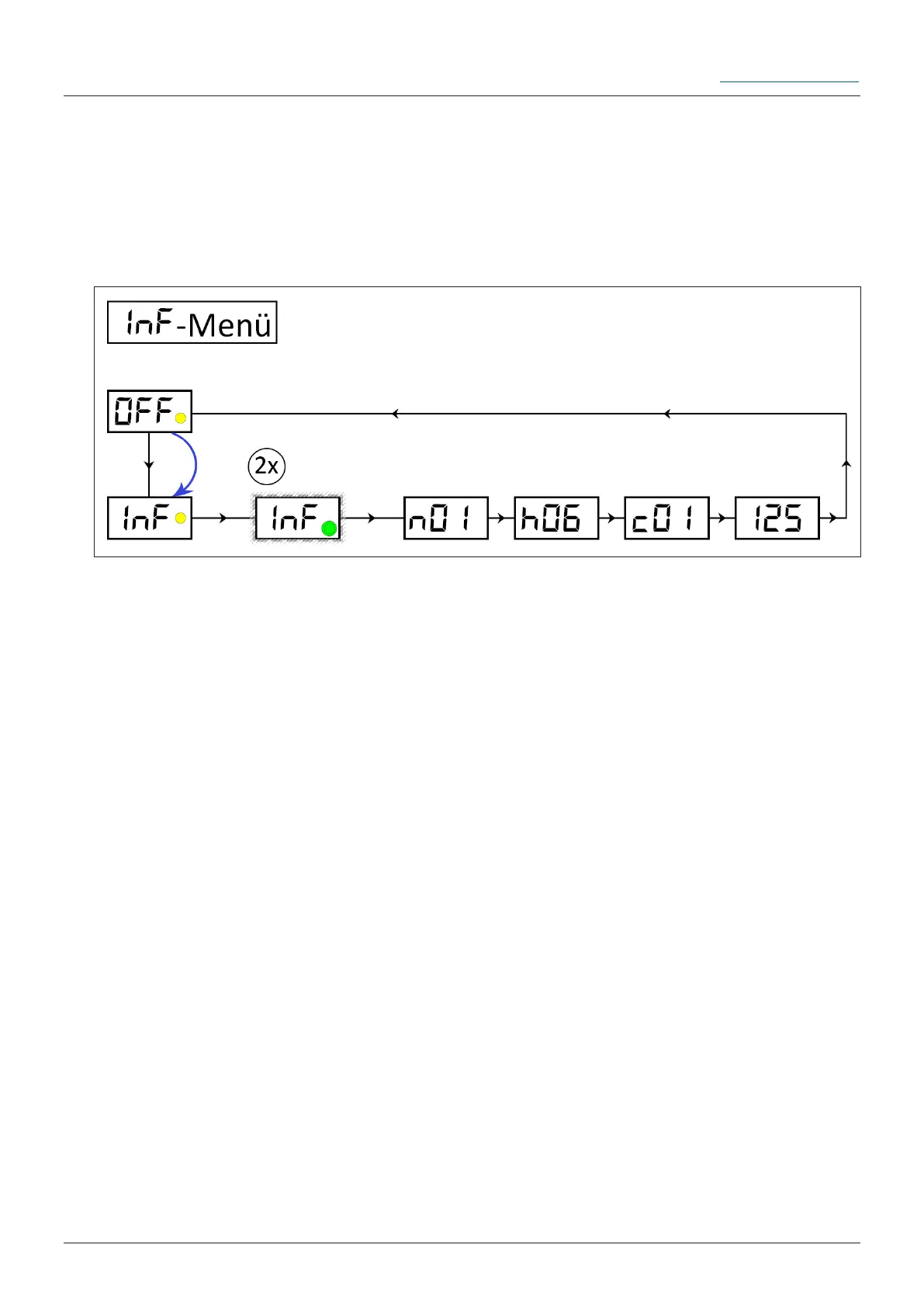
The INF-Menu is used to inform the user about the rmware used in the FlexxPump
125 and the settings made and currently active (values of the adjustable variables h
and c that can be changed in the PRO-Menu). In the INF-Menu nothing can be chan-
ged by the user. The values of the parameters are displayed in a xed order.
n Alphanumerical name of the FlexxPump 125 rmware
h set value of variable h pause time in hours
c set value of variable c number of cycles
125 set value of the cartridge size
Remove the activation and programming key from the housing of the FlexxPump 125
and place it on the action area.
Hold the activation and programming key on the action area. The yellow LED lights
up. Leave the activation and programming key on the action area until INF is displayed
in the LCD. Remove the activation and programming key from the action area as long
as INF is displayed in the LCD. The yellow LED disappears; the LCD ashes together
with the green LED twice.
Ü FlexxPump 125 informs you optically on the LCD about the set values.
Insert the activation and programming key into the hole provided on the housing of
the FlexxPump 125.
The INF-Menu can only be accessed from the OFF mode (FlexxPump 125 is swit-
ched o). When you have entered the INF-Menu, you will return to the OFF mode.


 To Next Page