revision: 0
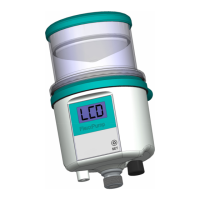
FlexxPump 125 (24V)
User Manual
38
EN-
SCHMIERSYSTEME
DIRECT LUBRICATION SYSTEMS
D L S
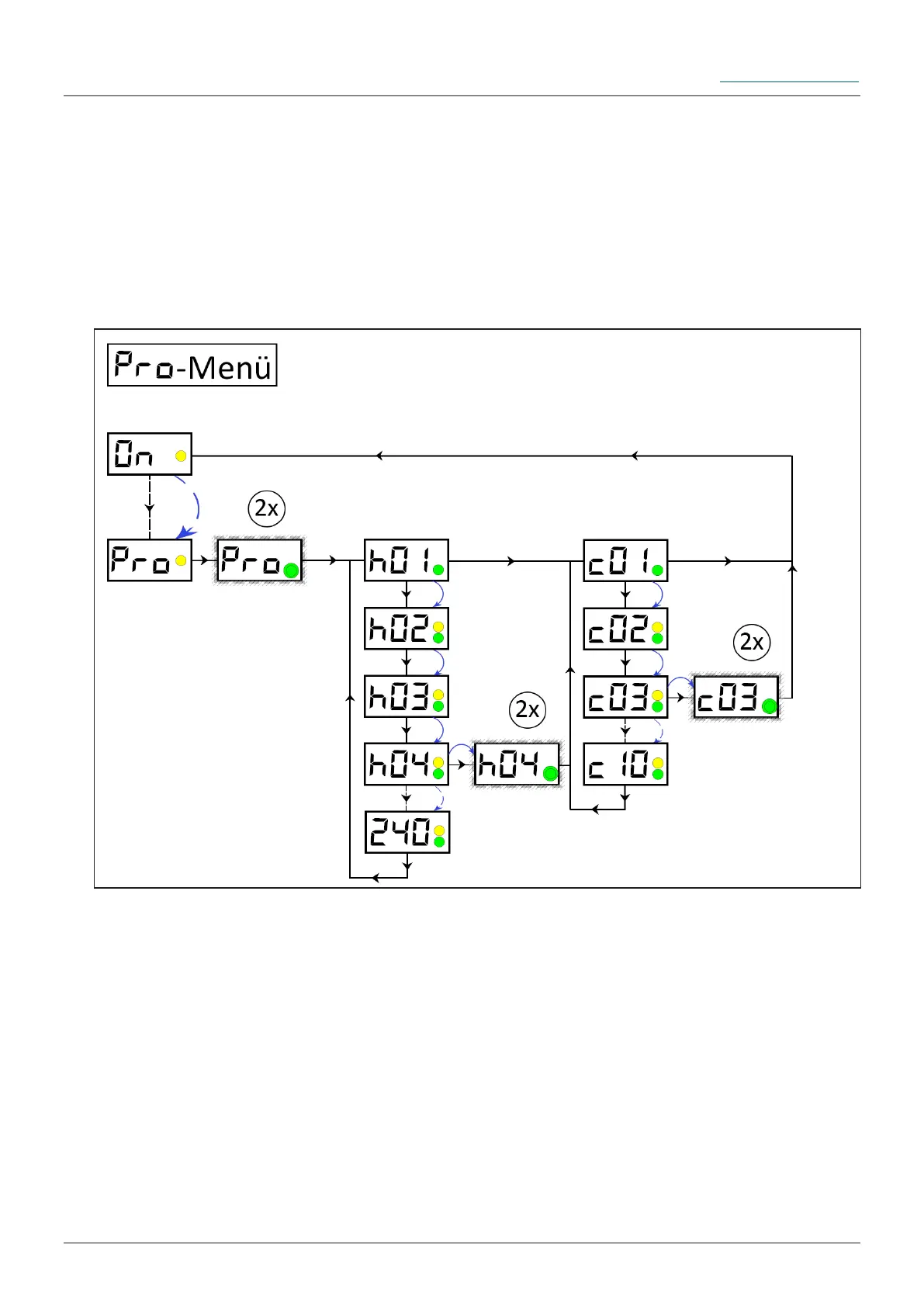
6.3.9 PRO-Menu operating mode Hour-Mode -h-
The PRO-Menu allows you to change the settings of the FlexxPump 125's dispensing
behavior. If you are in operating mode Hour-Mode -h-, you can change the pause time
h as well as the number of cycles c (number of strokes). In principle, after the pause
time h, the FlexxPump 125 executes exactly the number of strokes c (each 0.15 cm³)
specied in the number of cycles c. The cycles c are evenly distributed over the dispen-
sing time h.
There is no fault or error at FlexxPump 125.
In the PRO menu, the rst step is to set the pause time h and afterwards the number of
cycles c; direct access to the number of cycles c is not possible.
Remove the activation and programming key from the housing of FlexxPump 125
and place it on the action area. Hold the activation and programming key on the action
surface. Leave the activation and programming key on the action area until PRO is
displayed in the LCD.
Remove the activation and programming key from the action area as long as PRO is
displayed in the LCD.
Ü The LCD ashes together with the green LED twice. The LCD rst displays the
currently set value of the pause time h (h
is
). Now you have the possibility to change the
values of the pause time h.


 To Next Page