revision: 0
FlexxPump 125 (24V)
User Manual
41
EN-
SCHMIERSYSTEME
DIRECT LUBRICATION SYSTEMS
D L S
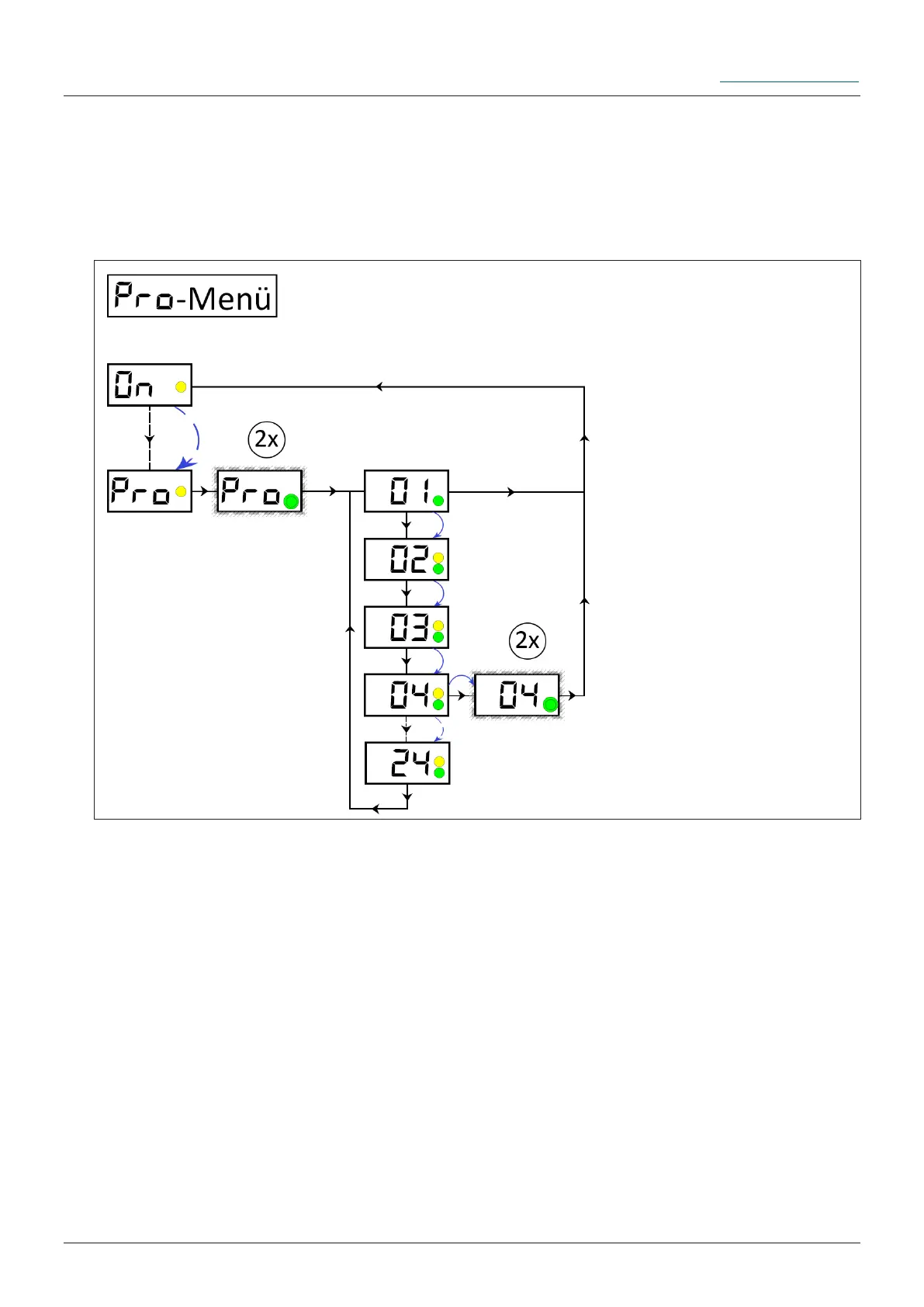
6.3.10 PRO-Menu operating mode Empty-Time-Mode Et
The PRO menu allows you to change the settings of the FlexxPump 125s dispensing
behavior. If you are in the Empty-Ttime-Mode Et, you can change the emptying time Et
in months. The FlexxPump 125 automatically calculates the pause time between two
cycles to reach the set emptying time in months.
There is no fault or error at FlexxPump 125.
Remove the activation and programming key from the bottom of FlexxPump 125
and place it on the action area. Hold the activation and programming key on the action
surface. Leave the activation and programming key on the action area until PRO is
displayed in the LCD.
Remove the activation and programming key from the action area as long as PRO is
displayed in the LCD.
Ü The LCD ashes together with the green LED twice. The LCD rst displays the cur-
rently set value of the emptying time Et (Et
is
). Now you have the possibility to change
the values of the emptying time Et.
Changing the value of the emptying time Et:
If you want to change the value of the emptying time Et, move the activation and
programming key back to the action area.
Ü In the LCD the next higher (Et
is
+ 1) adjustable value of the emptying time Et is
displayed. The green LED lights up as long as the activation and programming key is


 To Next Page