3. Normal Service Mode
Once all above procedures are completed and the functioning of all signals has been verified, it is possible
to put the system into Normal Service mode.
For ride comfort improvements check ANNEX V.
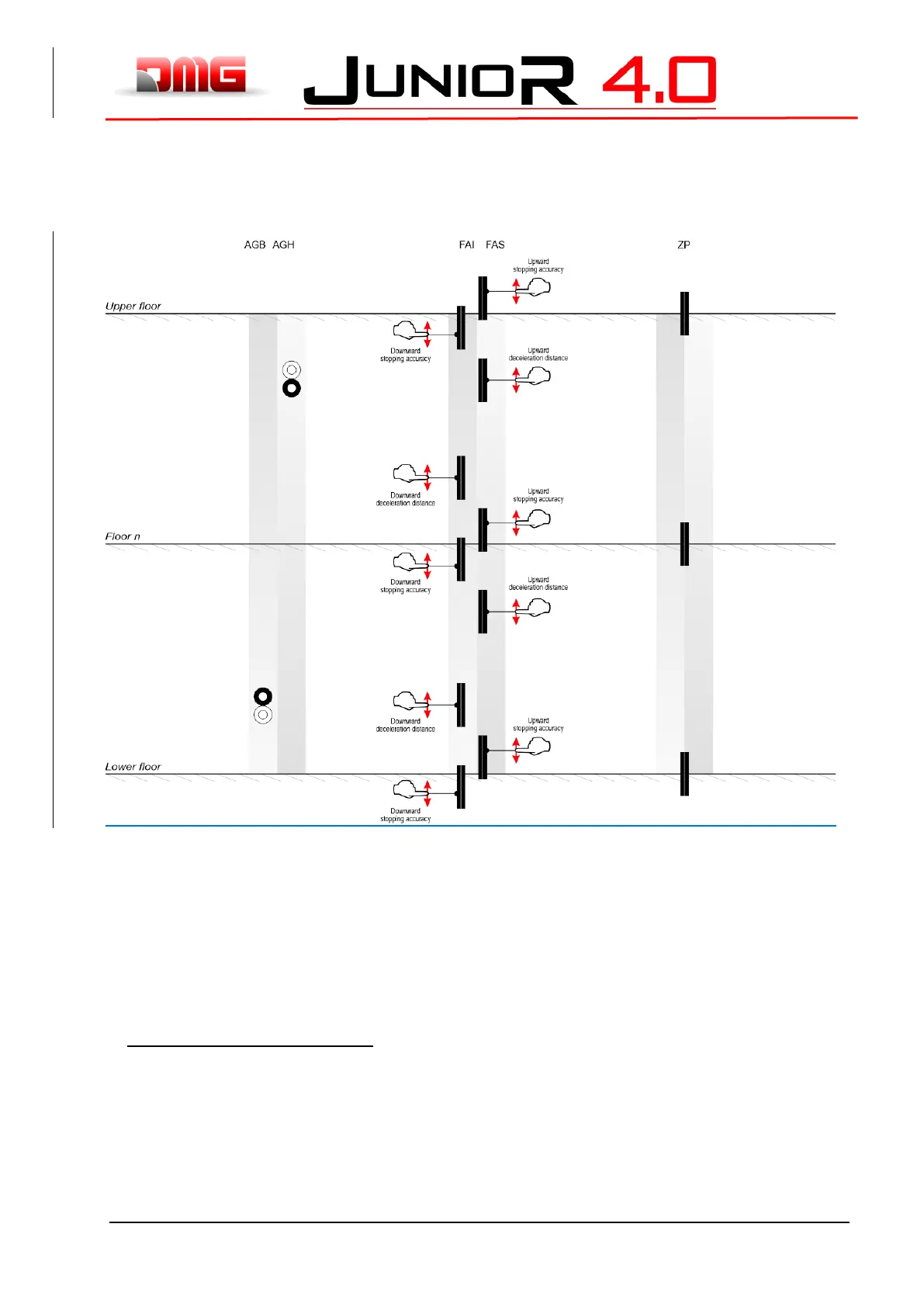
3.1.1 Fine tuning of floor stopping accuracy
Once the self learning procedure is completed, it is possible to manually fine tune the stopping accuracy
at each floor by using the PLAYPAD programming module, without having to access the shaft.
Regulation of stopping accuracy:
1. Make sure the installation is in the “NORMAL SERVICE” mode
2. Use the PLAYPAD module directly with the controller or remove it and connect it to the TOC board
on the top of the cabin by using the cable (optional).
3. Enter the <Positioning> menu, select “Floor Position” parameter for the floor to be adjusted (use
Left / Right keys to select the desired floor). The value displayed at the bottom of the Playpad
screen indicates the current floor position (in mm) for the selected floor; press [ENTER] to modify.



 To Next Page