Devices SW update procedure
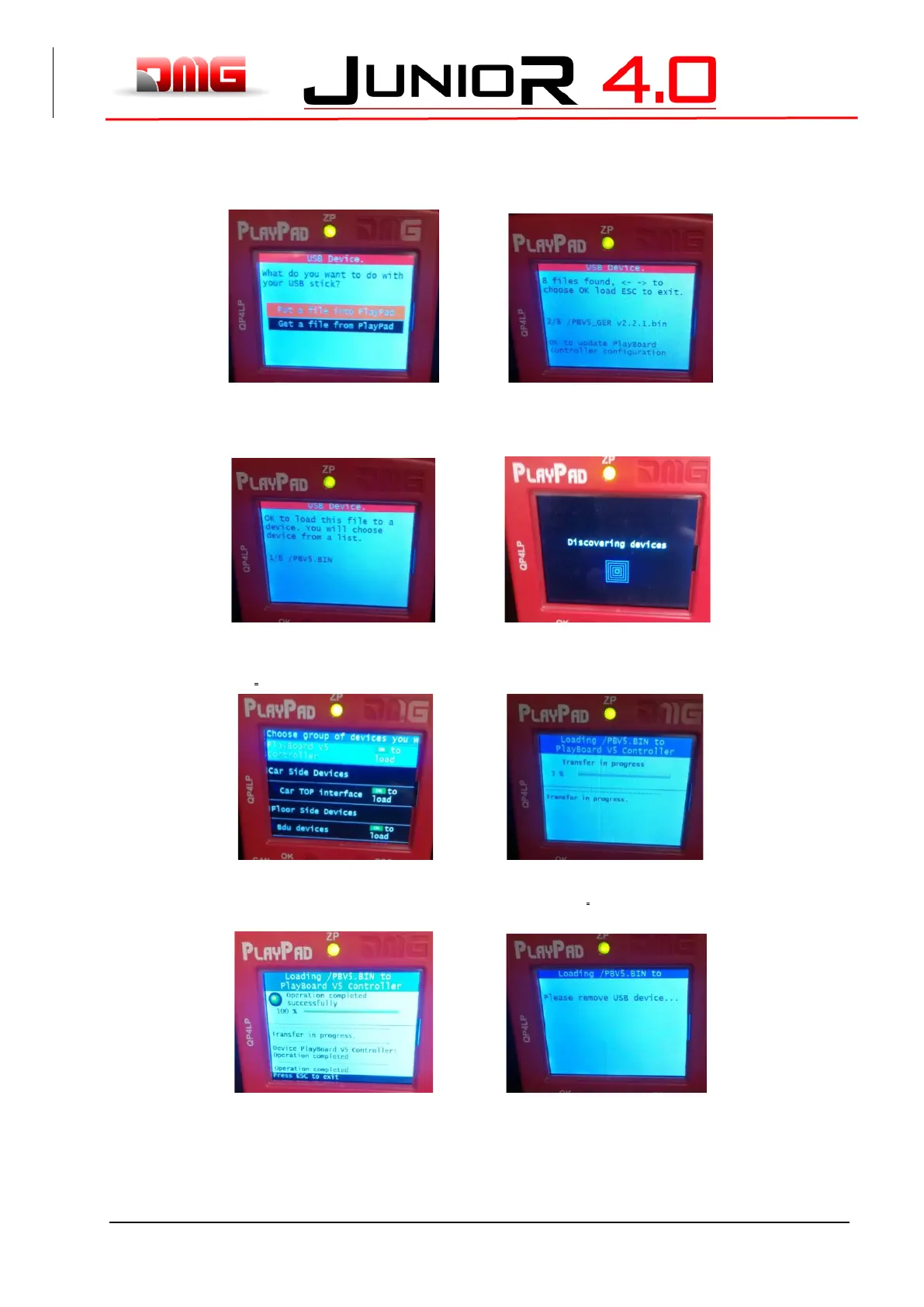
Insert the USB device into the slot, waiting for the message as in the Figure 7 and Select “Put a file into
PlayPad” (default) and press OK button. Window changes into Figure 8.
Figure 7 Figure 8
Follow the instruction on screen and select the *.bin file and press OK. Window changes into Figure 9.
Press OK to confirm the update process. Window changes into Figure 10, wait for a while.
Figure 9 Figure 10
Select the Device (or device group) to update and press OK (Figure 11). Window changes into Figure 12:
wait until the process is completed. If you need to press any arrow button to switch on the backlight.
Figure 11 Figure 12
When ^the^ process ends (Figure 13) press Esc button until the window shows “Please remove USB Device”
(Figure 14).
Figure 13 Figure 14



 To Next Page