EasyManua.ls Logo

DMG JUNIOR 4.0 - Changing System Parameters; V3 Screen Menu Map

Default Icon
90 pages
Print Icon
To Next Page IconTo Next Page
To Previous Page IconTo Previous Page
Loading...
User
Manual
File Name
Date
Page
93010350.EN_A_Junior 4.0 User
Manual_240828_v1.0 - VVVF
28/08/2024
21 / 90
5. Changing system parameters
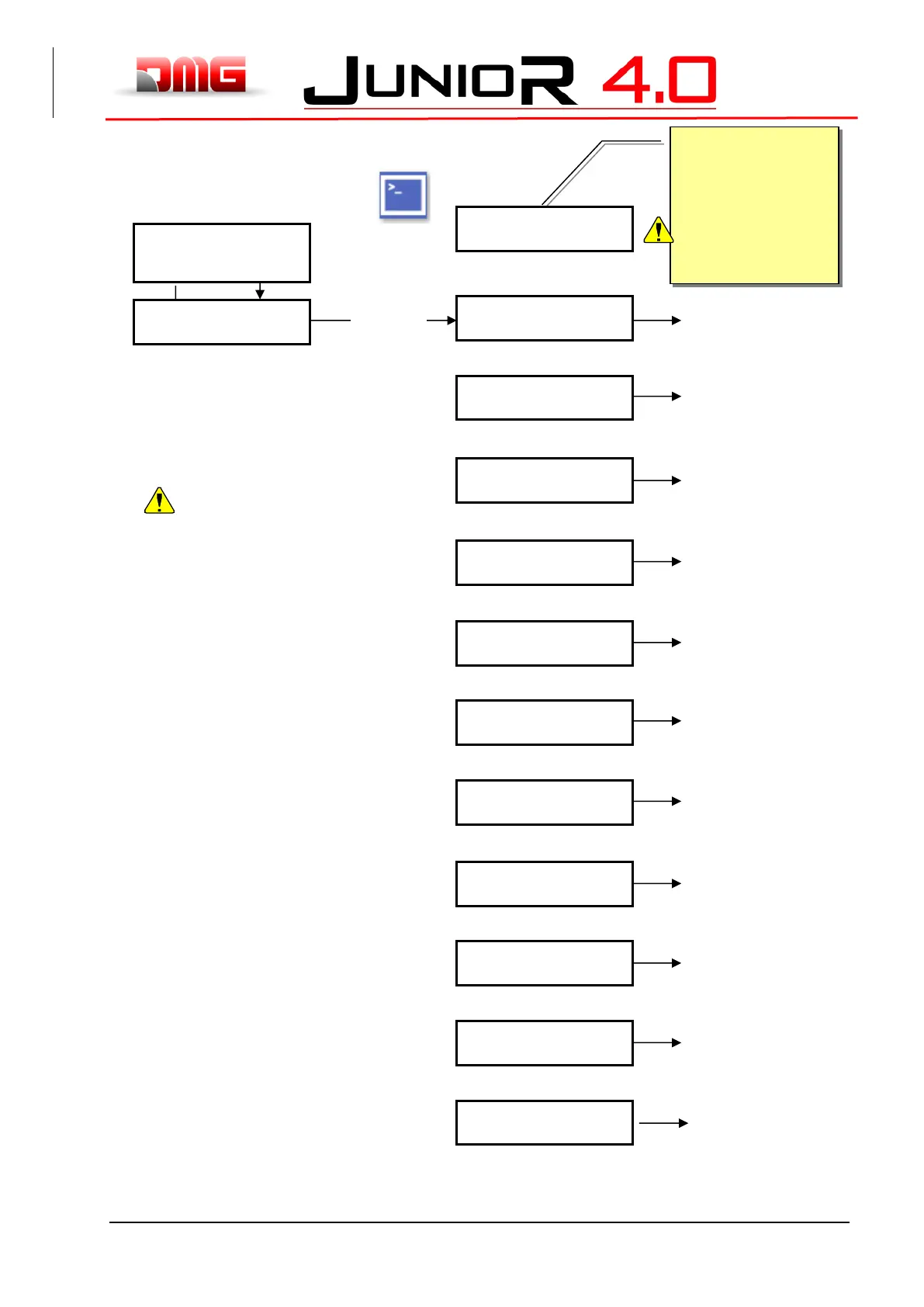
5.1 V3 Screen Menu map
After selecting the desired language
Is necessary to perform the software
Upgrade from (ANNEX III)
ENTER
ESC
If a password is used
French
English
Portuguese
Italian
Russian
German
Dutch
ENTER: confirm
ESC: exit
LI FT CO NTROL BOARD
DMG S.p.A.
Language ?
Fr-En-Pt- *It*-Ru-De-NL
Code ?
** Password **
Floor 0 0 :00
<In service>
ENTER
Floor 0 0 :00
<Faults>
Floor 0 0 :00
<I/O Status>
Floor 0 0 :00
<Configuration>
Floor 0 0 :00
<Doors>
Floor 0 0 :00
<Signals>
Floor 0 0 :00
<Special functions>
Floor 0 0 :00
<Positioning>
Floor 0 0 :00
<VVVF>
Floor 0 0 :00
<Rec Parameters>
Floor 0 0 :00
<Clock>
§ 5.2
§ 5.3
§ 5.4
§ 5.5
§ 5.6
§ 5.7
§ 5.8
§ 5.9
§ 5.10
§ 5.11
§ 5.12

Table of Contents

Related product manuals