AS/400 User Guide
• From General System Tasks, select Option 8
• From Device Operations, select Option 4
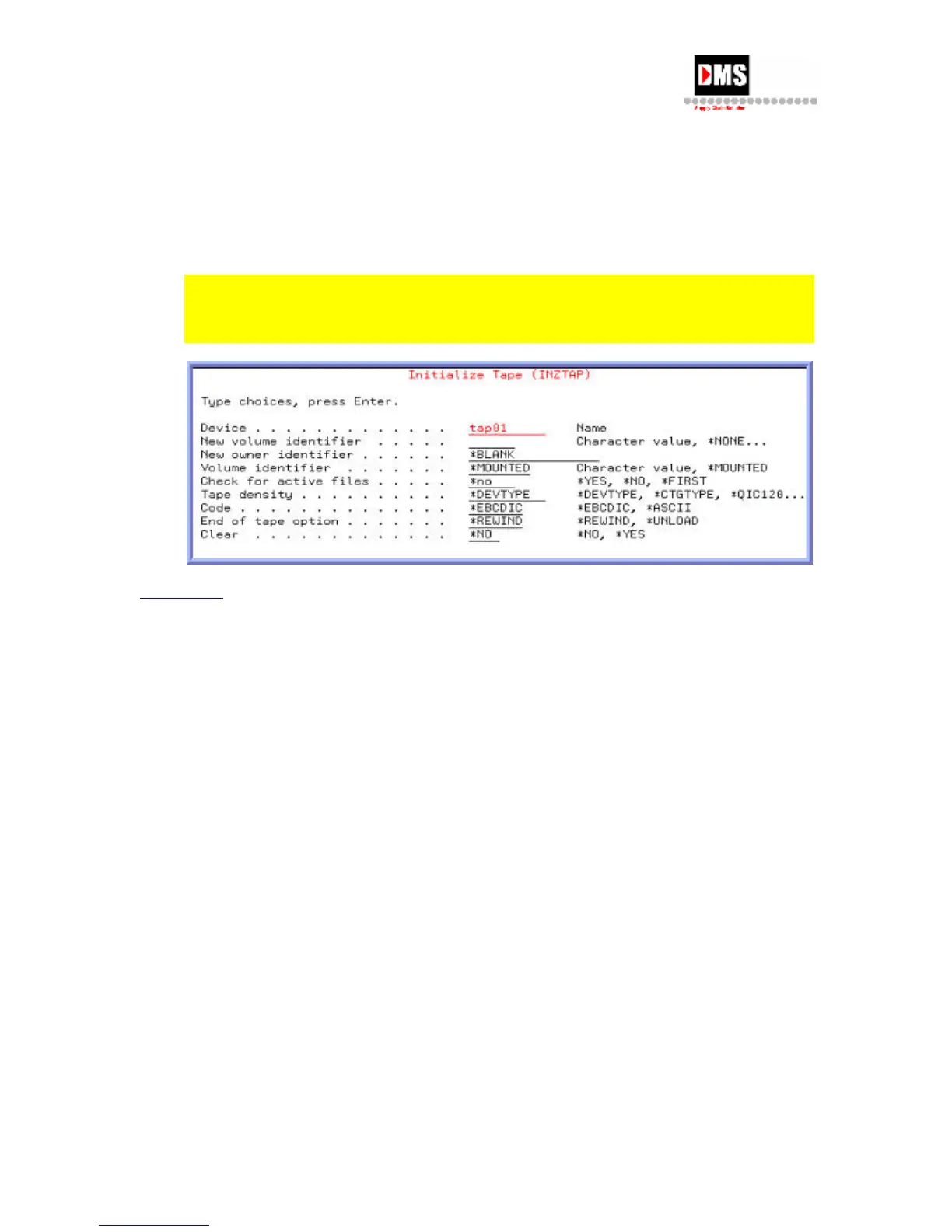
2. From Tape, select Option 2
3. To identify tape for future reference, enter a name that is easily recognized (ex.
company name initials, such as DMS) into the New Volume Identifier field.
Warning: The tape must be set to the proper density. With the cursor in the
Tape density field press the F4=Prompt key to display a list of valid tape
densities on the AS/400. Refer to the tape you are using to get the correct
setting. Type in the correct density.
Back to Top
48 DMS Systems Corp.
October 13, 2003
Version 1.0



 To Next Page