Dobot Nova Series User Guide
Issue V1.3 (2023-07-19) User Guide Copyright © Yuejiang Technology Co., Ltd.
35
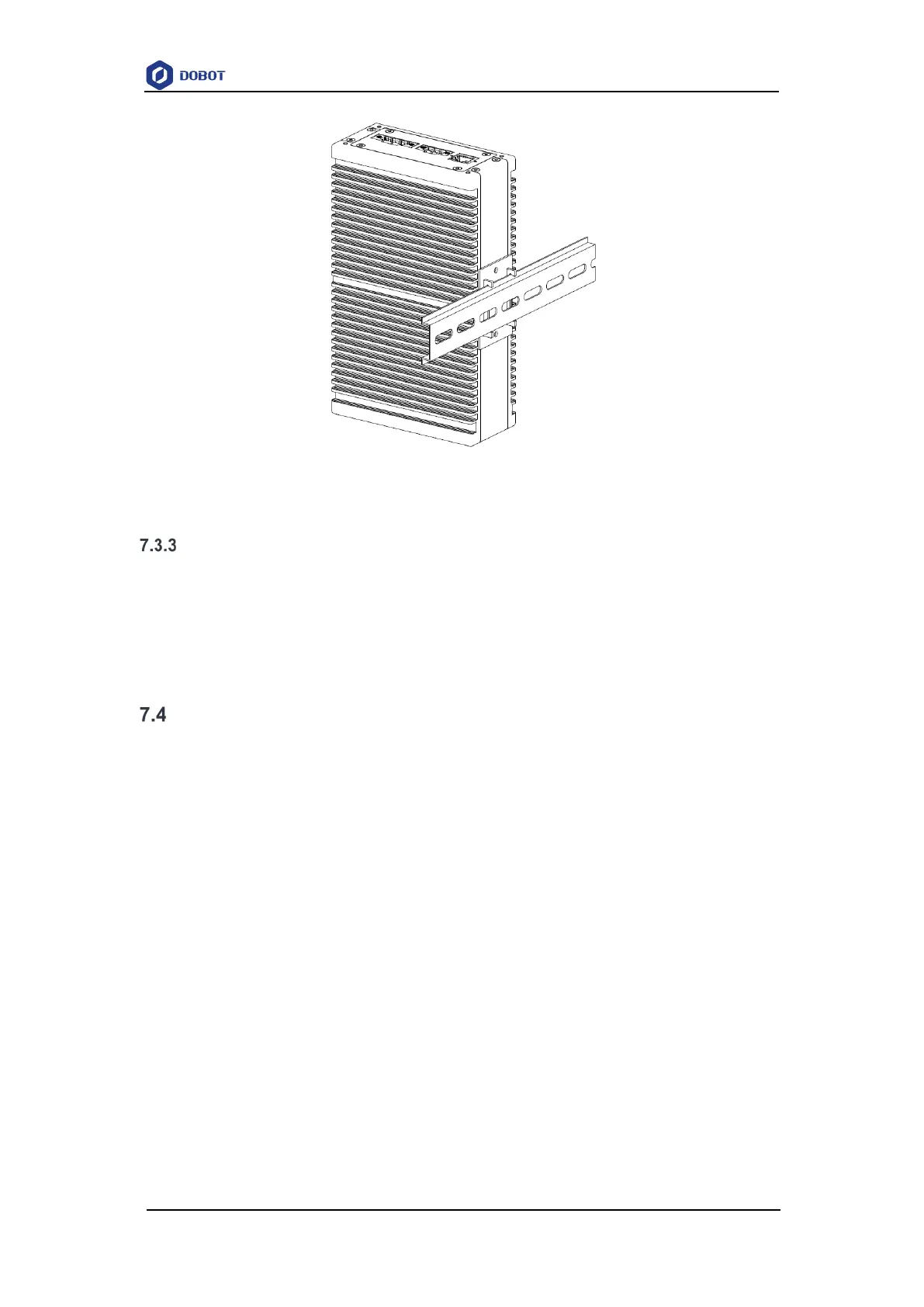
Figure 7.5 Rail-type installation
End tool installation
The end flange of the robot arm has four M6 threaded holes, which can fix the tool to the end
of the robot arm. In order to accurately adjust the position of the tool, you can also use the
reserved Φ6 positioning hole. The end flange of Nova 2 and Nova 5 robot arms is in the same size.
For detailed dimensions, refer to 5 Mechanical Specifications.
Wiring
1. Connect the cable extending from the base of the robot arm to the robot interface of the
CCBOX. Plug the RJ connector of the network cable to the LAN interface (①), and
connect the power cable to the power interface (②) through the wiring terminal. Tighten
the screws on the wiring terminal.
2. Connect the emergency stop switch to the emergency stop switch interface (④) of the
CCBOX through the wiring terminal. Tighten the screws on the wiring terminal.
3. Plug the wireless receiver into any of the USB interface (⑤).
4. Connect the matched DC power supply to the power interface of the CCBOX through the
wiring terminal. Tighten the screws on the wiring terminal


 To Next Page