DOM Roq® End Position Adjustment
54
DOM Roq® Smart Lock
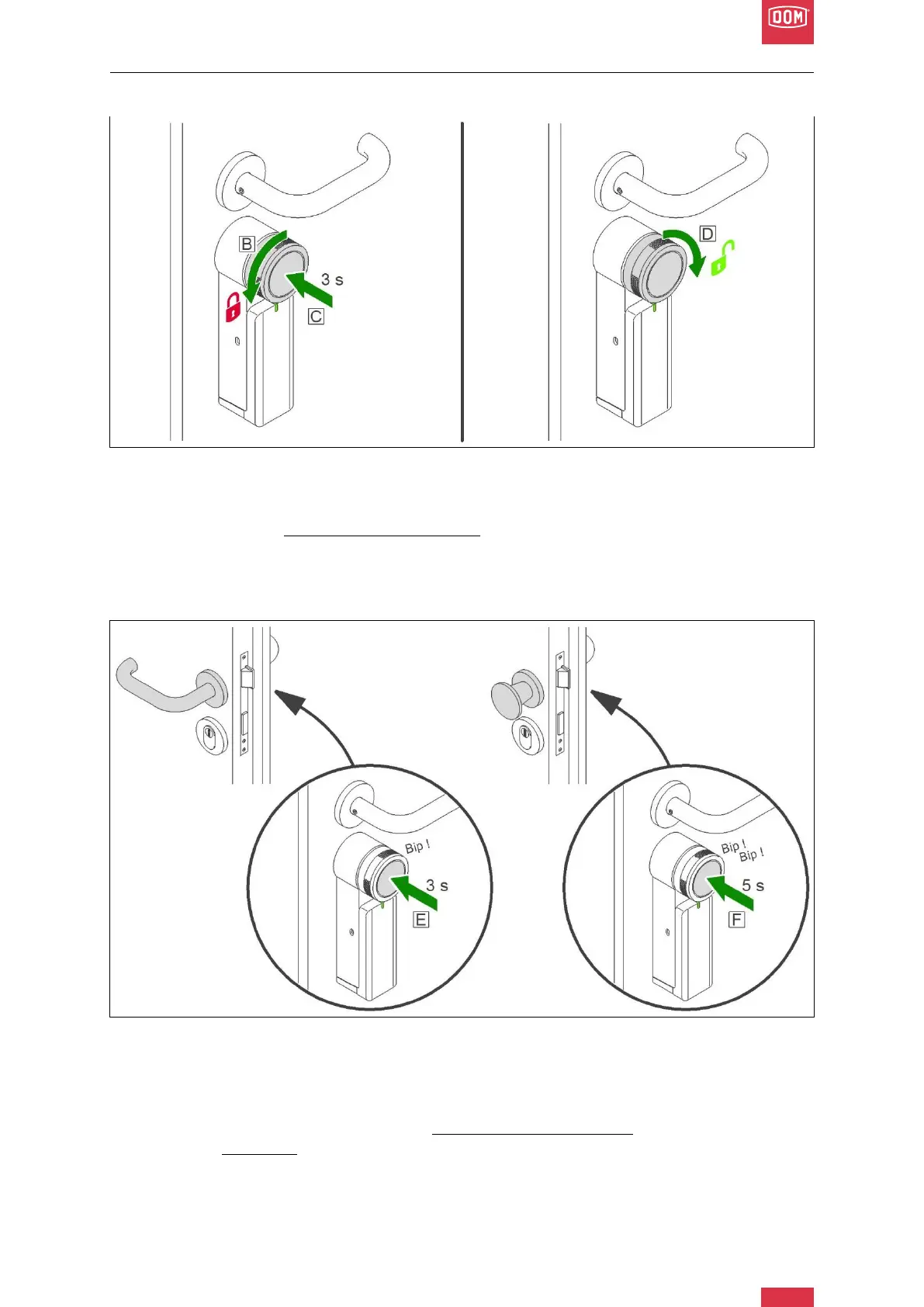
To set the end positions (locked and unlocked), proceed as follows:
DOM Roq® Fig. 49: End Position Adjustment
7. As soon as the LED has changed from flashing slowly to flashing quickly, lock the
door with the handwheel until you can no longer turn it. (B)
8. Then press the push button for 3 seconds to confirm the end position. (C)
9. Open the latch with the handwheel. (D)
10. Keep the door closed!
There are 2 different options for unlocking the door:
DOM Roq® Fig. 50: End Position Adjustment
The door has an inner and outer handle.
I. The motor unlocks the lock and the door is opened with the corresponding handle
(inside or outside).
II. To reach this setting, press the push button for 3 seconds (E) and release it after
the first beep.
The door has an inner handle and no outer handle.


 To Next Page