DOM Roq® Add Transponder or Pin Code to Pin Code Reader
63
DOM Roq® Smart Lock
Charge Battery Pack
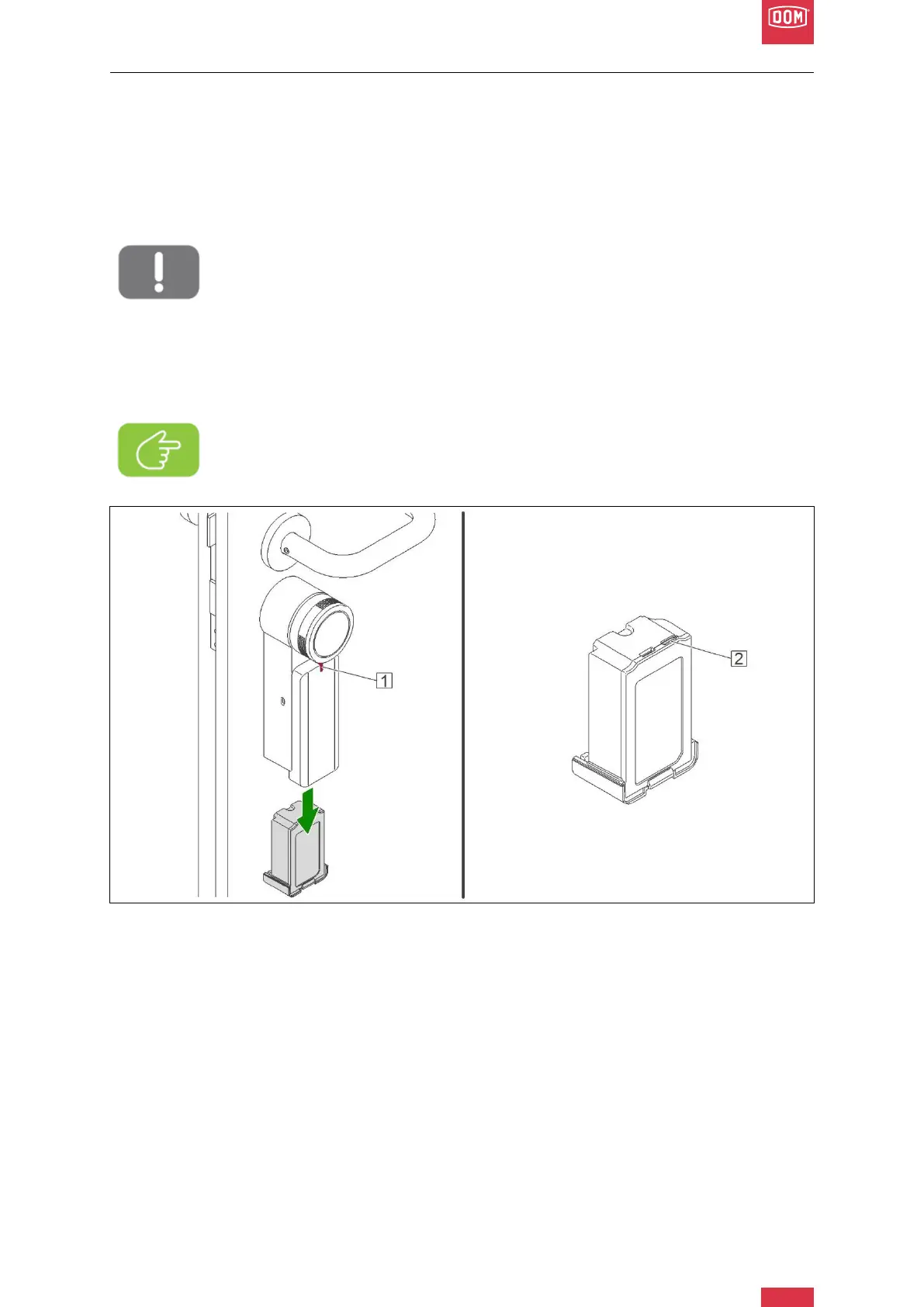
Two battery warning levels are displayed on the LED display (1) of the motor unit and in the
app. At 20% remaining capacity, approx. 200 openings or closings are still possible, at 10%
remaining capacity, 80 openings or closings are possible.
Attention!
If used incorrectly, there is a risk that the battery will explode.
The motor unit is powered by a rechargeable battery. Only use the supplied bat-
tery pack. Do not use damaged battery packs.
We recommend charging the battery at least once a year using the supplied
USB-C cable. An orange light on the motor unit indicates a low battery charge
level. The battery pack must be charged with a USB charger power supply plug
2.1 A / 5V (not included). In case of a problem with the battery pack, contact
DOM Customer Service.
DOM Roq® Fig. 60: Charging the Battery Pack
1. Two battery warning levels are displayed on the LED display (1) of the motor unit and
in the app. An orange light on the motor unit indicates a low battery charge level.
Note! Before using the battery pack for the first time, charge it to 100 %. Charg-
ing takes approx. 8 hours (when the battery pack is completely discharged).


 To Next Page