DOM Roq® Mounting and Connection of Pin Code Reader (Chip Reader) with DOM Roq®
58
DOM Roq® Smart Lock
Mounting and Connection of Pin Code Reader (Chip
Reader) with DOM Roq®
Adding a Pin Code Reader.
Attention! Connect the Pin Code Reader to DOMRoq®.
In order to use the Pin Code Reader and create transponders, it is essential that
the DOMRoq® is connected to the internet and the gateway.
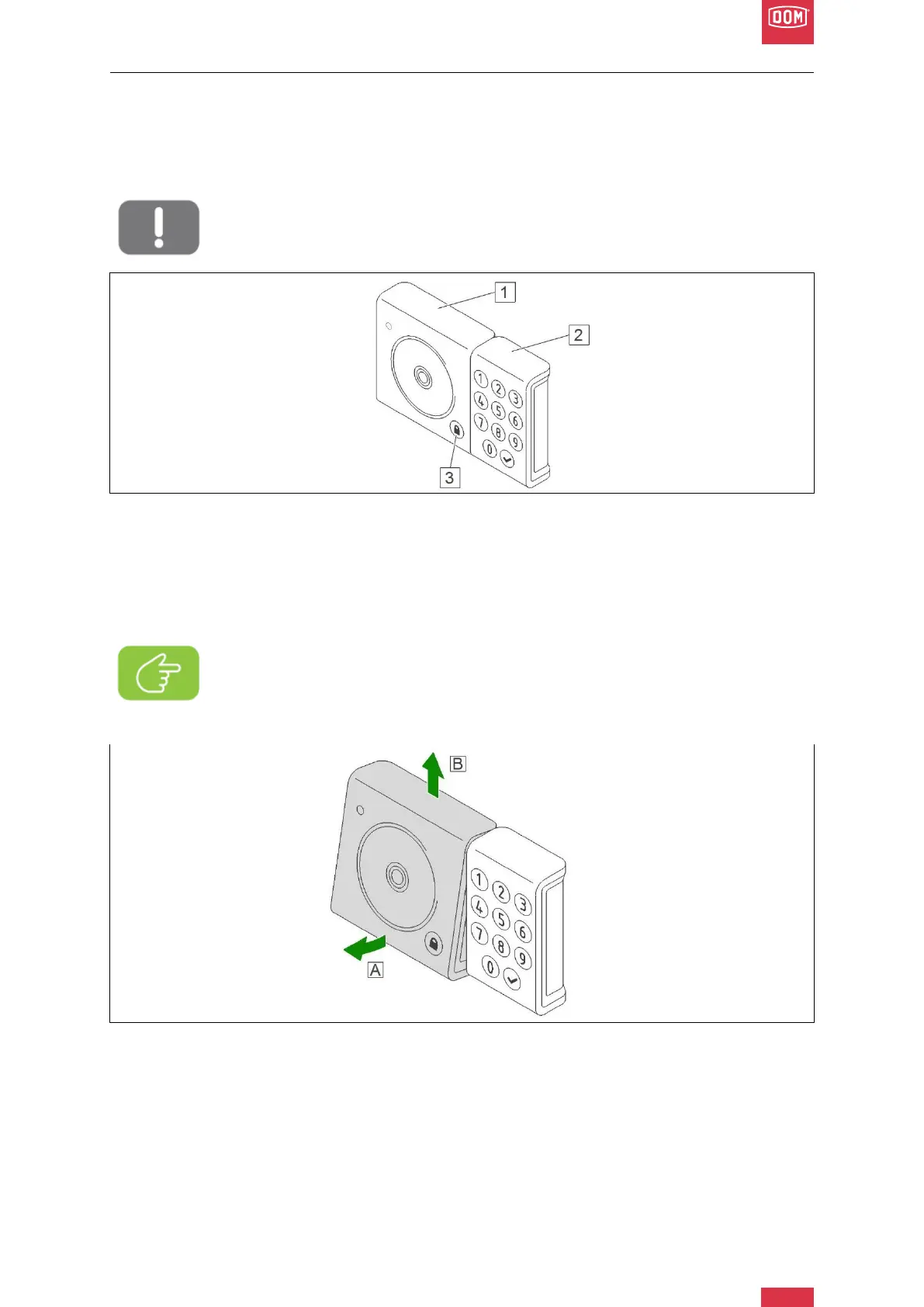
DOM Roq® Fig. 52: Pin Code Reader
The Pin Code Reader consists of the chip reader/battery compartment (1) and the keypad
(2). The lock button (3) is located on the chip reader/battery compartment.
In addition to the Pin Code Reader, the package includes three AAA batteries, as well as a
matching Allen key and 3 transponders.
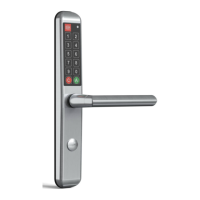
DOM Roq® Fig. 53: Mounting Instructions Pin Code Reader
1. Open the battery compartment cover of the chip reader.
To do this, pull the lower section slightly forwards (A) and remove the battery com-
partment upwards from the holder (B).
Note!
The Pin Code Reader can also be optionally attached to the wall by means of
the adhesive foil on the back, but is not secured against theft in this way.


 To Next Page