Operation Section
-71-
Setting the Loudness mode
1. Press the LOUD button to turn loudness mode
on/off.
Increases the level for low frequency.
To turn the loudness option off, press the LOUD
button again.
Muting the sound quickly
1. Press the MUTE button to turn mute on. "MUTE"
will flash on the display and mute the sound.
Press the MUTE button again or turn VOLUME
dial to restore sound.
Radio
Setting the region of radio reception
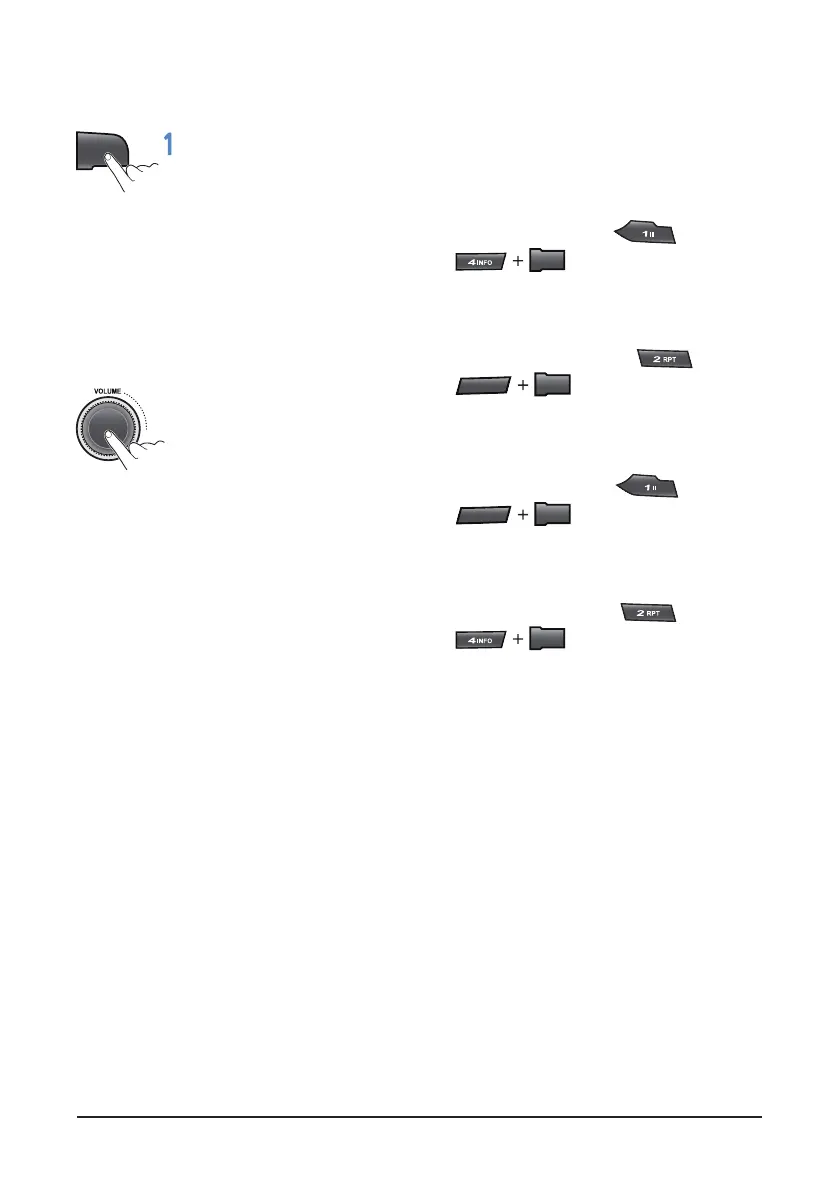
1. When the power is turned on, press and hold the
buttons more 3 seconds at the same time as
below;
• U.S.A: Hold down and press
more 3 seconds
FM: 87.7 - 107.9 MHz (200 kHz step)
AM: 530 - 1.7 10 kHz (10kHz step)
• South America : Hold down and press
more 3 seconds
FM: 87.5 - 108.0 MHz (100 kHz step)
AM: 530 - 1.7 10 kHz (10kHz step)
• Asia : Hold down and press
more 3 seconds
FM: 87.5 - 108.0 MHz (100 kHz step)
AM: 531 - 1,602 kHz (9 kHz step)
• Europe: Hold down and press
seconds
FM: 87.5 - 108.0 MHz (50 kHz step)
AM: 522 - 1,629 kHz (9 kHz step)
2. Please wait for more 5 seconds with no operation,
the unit will save and apply yours setting.
If the region setting is not selected correctly to
your country or region, the radio reception cannot
be received. Retry the setting the region of radio
reception correctly.
The region setting is required only for the first time
The region setting is return to the default setting
when the power connector or battery is
disconnected.
LOUD
MENU
5
D-
MENU
5
D-
MENU
MENU



 To Next Page