Operation&MaintenanceManualOPERATINGINSTRUCTIONS
CompressorandDisplayGaugeSoftwareVersions
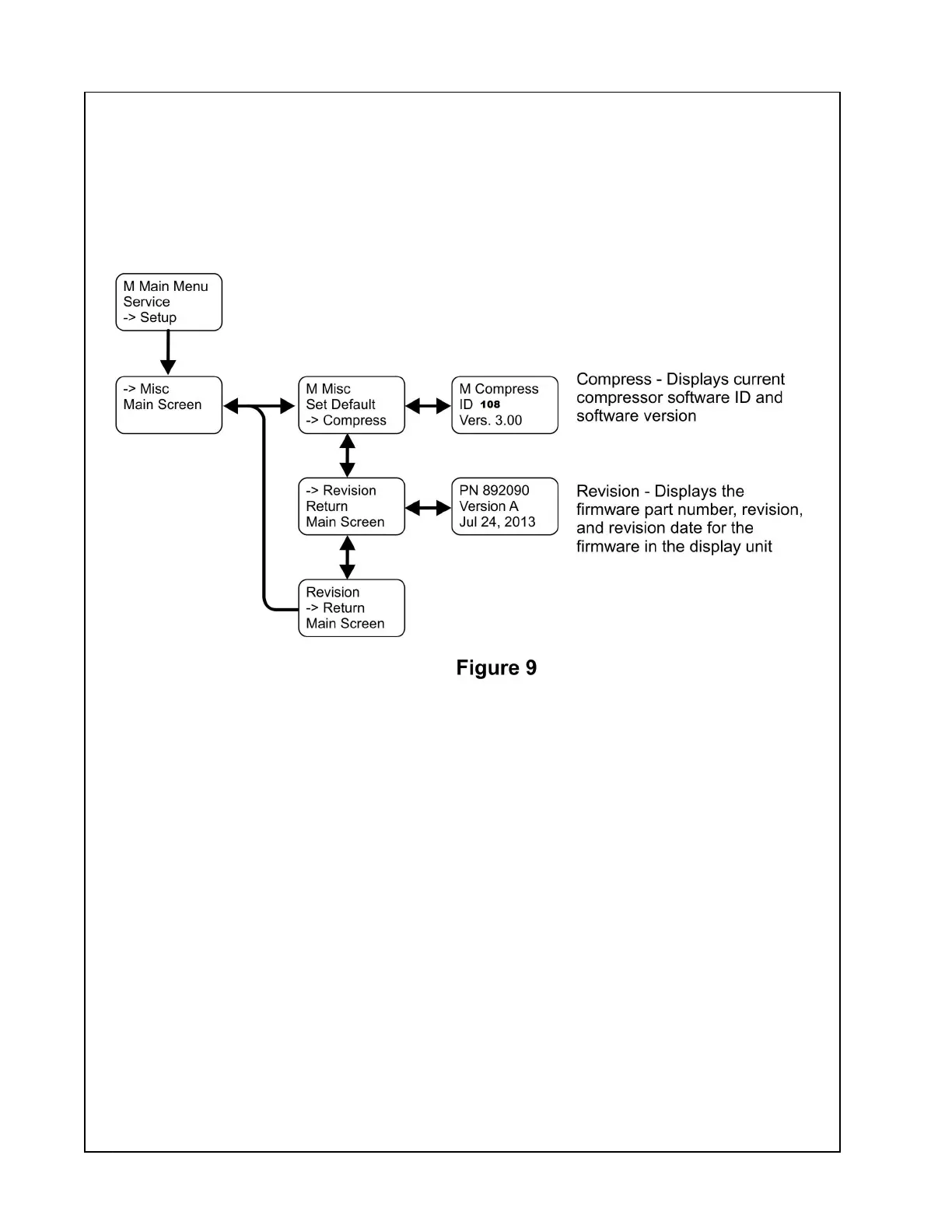
TheCompressorandDisplaysoftwareinformationcanbedisplayedbyaccessingtheMisc
Menu.ToaccesstheMiscMenu,pressandholdtheENTERbuttonwhiletheDefaultScreen
isdisplayeduntiltheMainMenuappears.ScrolltotheMiscoptionusingtheDOWNbutton
thenpresstheENTERbutton.UsetheDOWNorUPbuttonstohighlightandtheENTER
buttontoselectthedesiredpreference.T oreturntothedefaultscreen,usetheDOWNbutton
tohighlighttheMainScreenmenuitemandpresstheENTERbutton.SeeFigure9.
49


 To Next Page