OPERATINGINSTRUCTIONSOperation&MaintenanceManual
CompressorIDSetUp
TheCompressorIDisaunique3digitcodethatidentiesthemodelofmachineinthe
software.Normallythisshouldnotbechangedorunexpectedresultsmayoccur.The
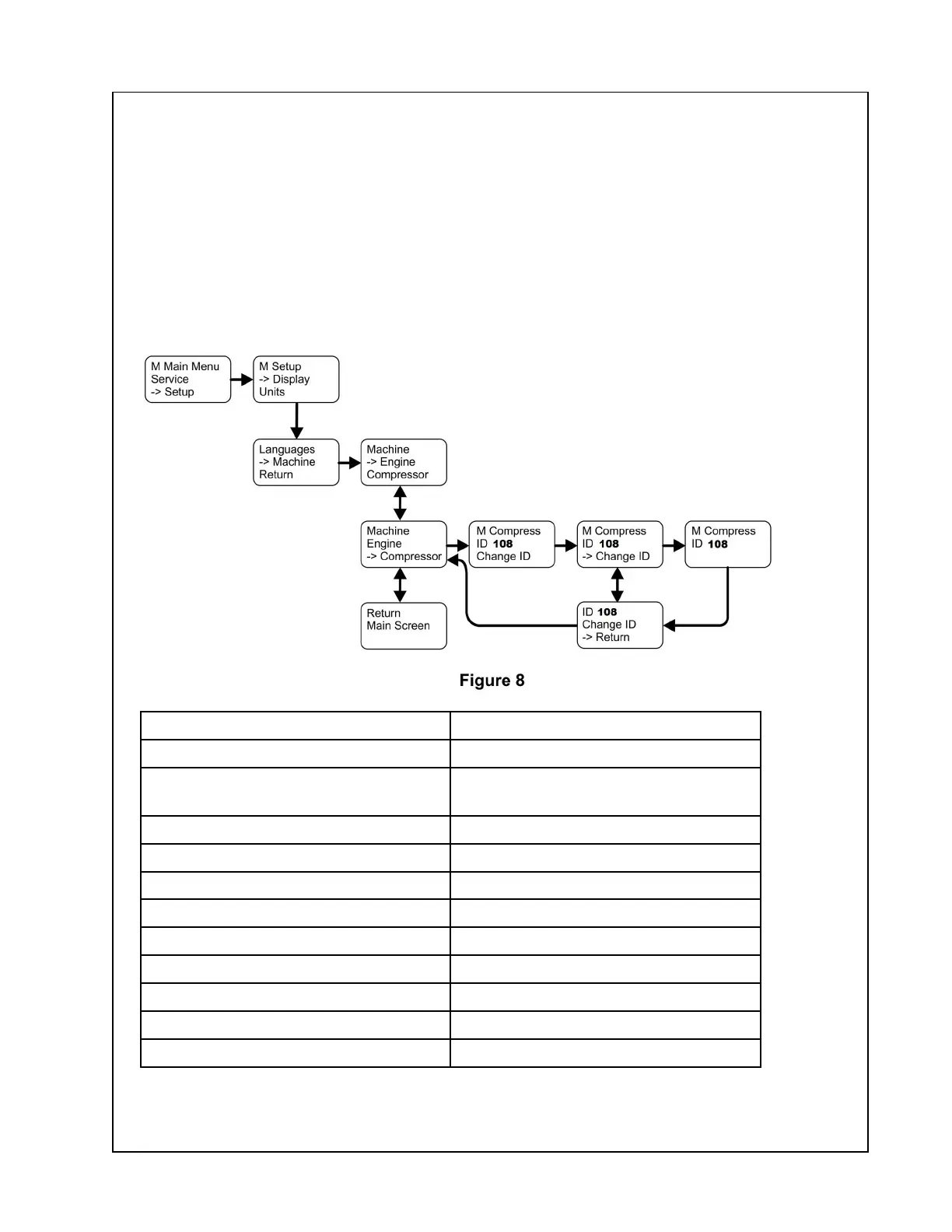
CompressorIDcanbechangedbyaccessingtheSetupMenu.ToaccesstheSetupMenu,
pressandholdtheENTERbuttonwhiletheDefaultScreenisdisplayeduntiltheMainMenu
appears.ScrolltotheSetupoptionusingtheDOWNbuttonthenpresstheENTERbutton.
UsetheDOWNorUPbuttonstohighlightandtheENTERbuttontoselectthedesired
preference.T oreturntothedefaultscreen,usetheDOWNbuttontohighlighttheMain
ScreenmenuitemandpresstheENTERbutton.SeeFigure8.Refertochartbelowfor
correctMachineID.UseDataPlateoncompressortoobtaincorrectcompressormodel.
CompressorIDNumberCompressorModel
101
P425/HP375WCU-T4i
102
P600/XP535WCU-T4i
HP450/VHP400WCU-T4i
103
7/125
104
7/175
105
C185WDZ-T4F/P185WDZ-T4F
106
14/190
107
P250/HP185WDZ-T4F
108
P185WDO-T4F
109
12/154
110
C185WKUBG
111
7/73
48


 To Next Page