6 Operation
6.1 Start-up of the lock
The lock has the option for partial or full start-up by the safe manufacturer or distributor. For
a partial start-up, basic configurations are loaded to the lock without activating the Master
Code. The lock still opens with the Setup Code "1". All configurations performed previously
with the software are immediately valid only after activating the Master Code.
For a full start-up the lock has already been provided with a Master Code and further
settings. For partial and full start-up the set basic configuration is communicated separately
by the safe manufacturer or distributor.
All pre-configured codes must be changed by the end user immediately after start-up.
Opening the lock with the Setup Code
Upon delivery the lock is set by dormakaba SAL GmbH to the Setup Code "1".
The lock can be opened with the Setup Code until the lock system is put into operation.
As long as the lock is opened with the Setup Code (the master is not activated yet), there is
no lockout period for incorrect code entries and no signal message for the tamper switch.
The Setup Code is only meant for lock mounting at the factory and not for further permanent
use.
For security reasons it is highly recommended to activate the Master Code with the individual
code immediately after start-up of the lock in order to deactivate the Setup Code.
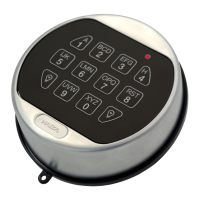
1. Press 1.
2. Press the ENTER key.
ð The green light blinks twice and the acoustic signal sounds twice.
3. Turn the actuating knob within 4 seconds through 90° clockwise to the stop.
4. Open the secure storage unit.
OperationUser Manual
13
- 02/2022 dormakaba Combi B 90 with metal input unit







 To Next Page