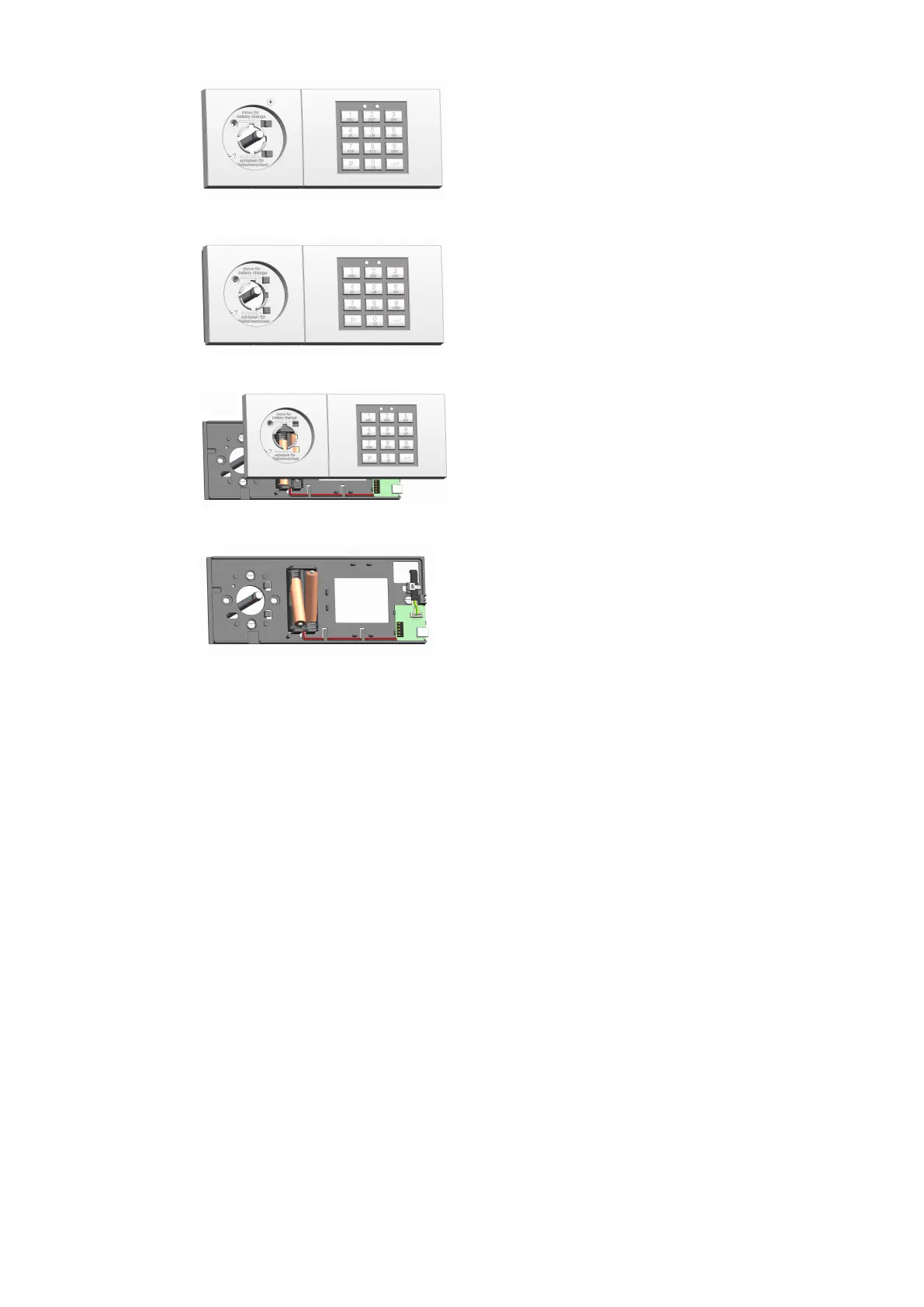
7. Uninstall the screw in the handle recess.
8. Move the top part of the input unit.
9. Remove the top part to the front.
10. Replace the 2 batteries which are located on the base part of the input unit
11. Mount the input unit on the base part from the front.
12. Move the base part laterally until the base part engages and the red LED is off.
13. Install the screw to secure the top part.
14. Mount the rotary knob in the position of the marking.
ð If the mounting is correct, the rotary knob can no longer be removed.
15. Remove the marking.
16. Neutralize the tamper switch message with the Master Code.
Service User Manual
40 - 02/2022dormakaba Combi B 90 with metal input unit







 To Next Page