Vigor2120 Series User’s Guide
125
4
4
.
.
1
1
.
.
3
3
.
.
1
1
1
1
D
D
e
e
t
t
a
a
i
i
l
l
s
s
P
P
a
a
g
g
e
e
f
f
o
o
r
r
I
I
P
P
v
v
6
6
–
–
S
S
t
t
a
a
t
t
i
i
c
c
I
I
P
P
v
v
6
6
i
i
n
n
W
W
A
A
N
N
1
1
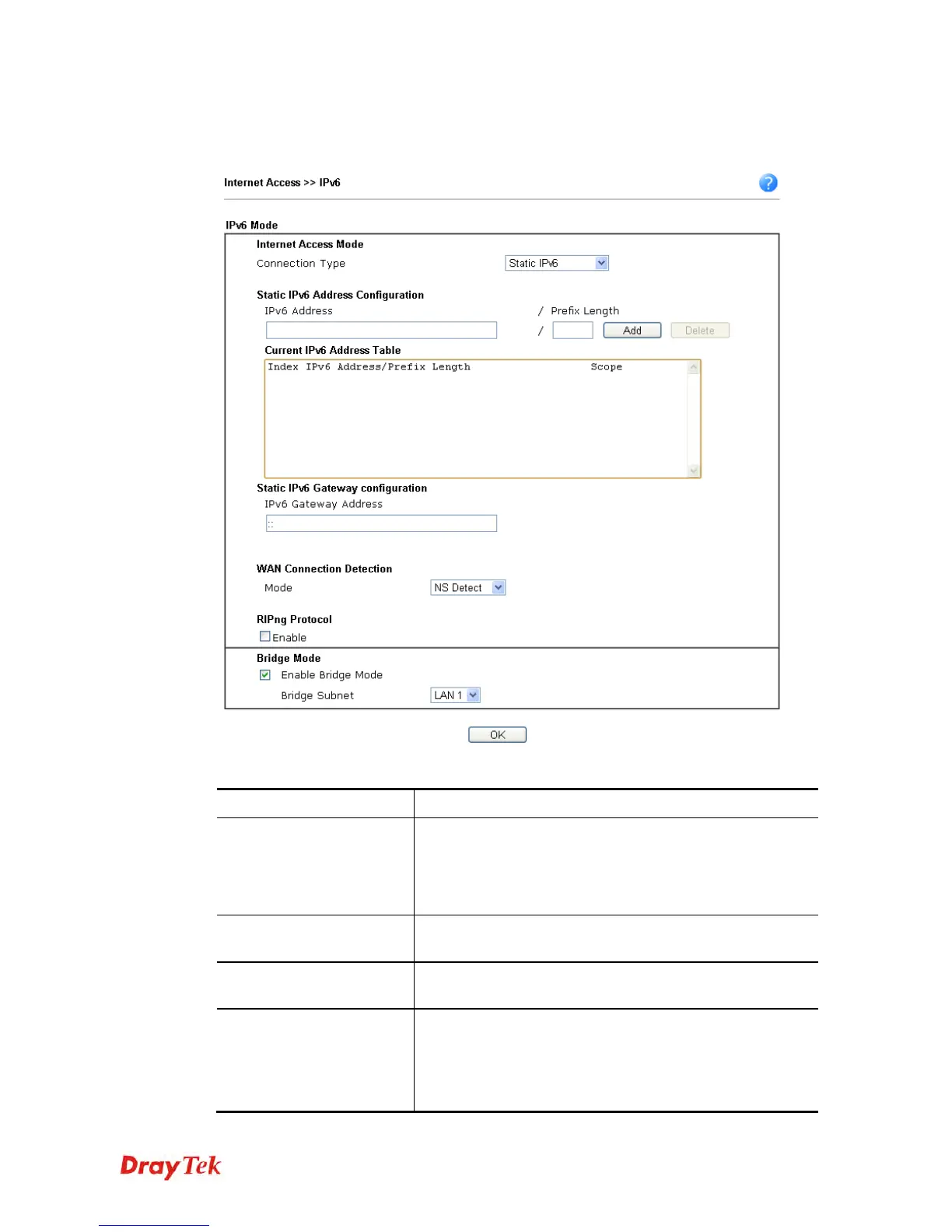
This type allows you to setup static IPv6 address for WAN interface.
Available settings are explained as follows:
Item Description
Static IPv6 Address
configuration
IPv6 Address – Type the IPv6 Static IP Address.
Prefix Length – Type the fixed value for prefix length.
Add – Click it to add a new entry.
Delete – Click it to remove an existed entry.
Current IPv6 Address
Table
Display current interface IPv6 address.
Static IPv6 Gateway
Configuration
IPv6 Gateway Address - Type your IPv6 gateway address
here.
WAN Connection
Detection
Such function allows you to verify whether network
connection is alive or not through Ping Detect.
Mode – Choose Always On or Ping Detect for the system
to execute for WAN detection. Always On means no
detection will be executed. The network connection will be















 To Next Page