Vigor2120 Series User’s Guide
253
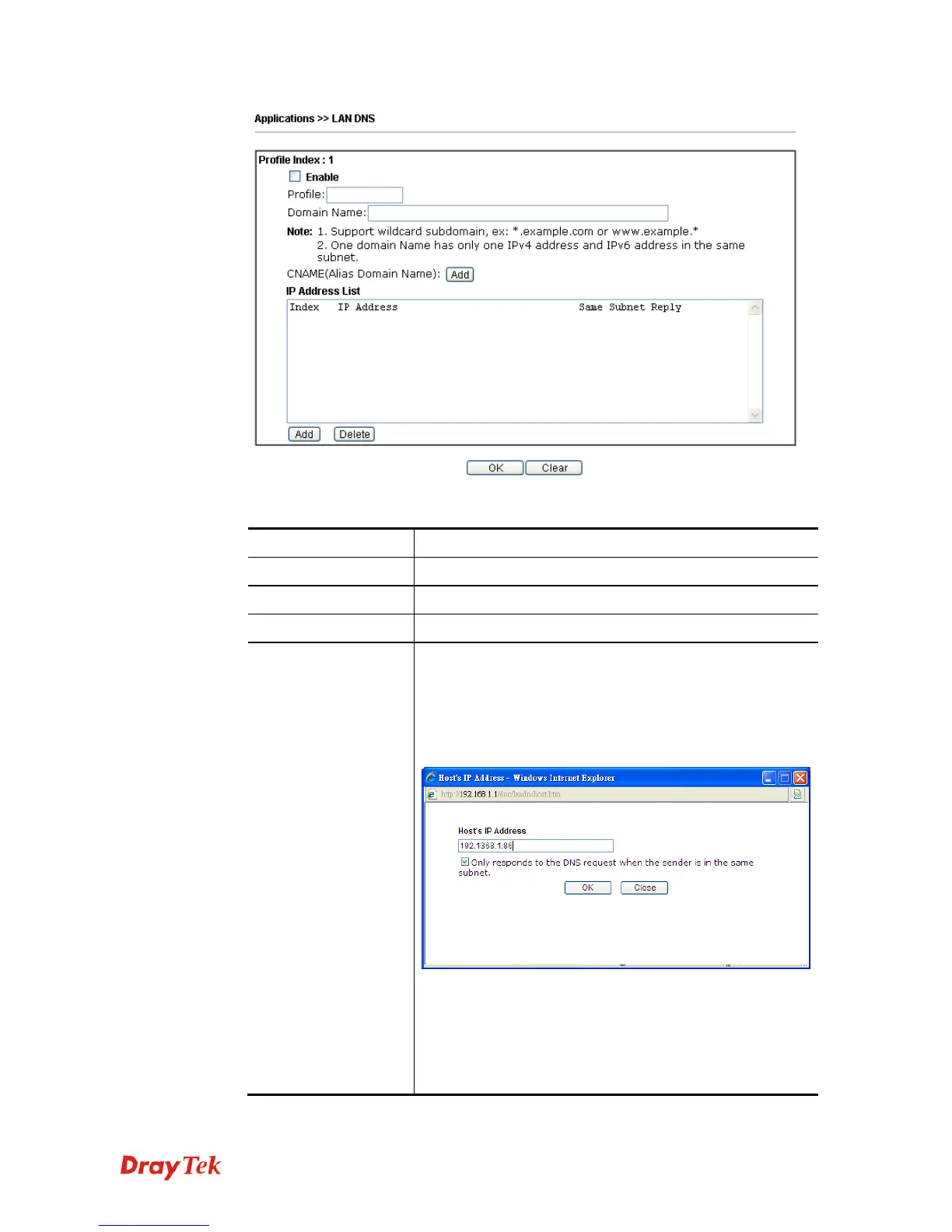
Available settings are explained as follows:
Item Description
Enable
Check this box to enable such profile.
Profile
Type a name for such profile.
Domain Name
Type the domain name for such profile.
IP Address List
The IP address listed here will be used for mapping with the
domain name specified above. In general, one domain name
maps with one IP address. If required, you can configure
two IP addresses mapping with the same domain name.
Add – Click it to open a dialog to type the host’s IP
address.
Only responds to the DNS…. – Different LAN PCs
can share the same domain name. However, you have
to check this box to make the router identify &
respond the IP address for the DNS query coming
from different LAN PC.
Delete – Click it to remove an existed IP address on the list.















 To Next Page