Vigor2120 Series User’s Guide
348
R
R
e
e
s
s
t
t
o
o
r
r
e
e
C
C
o
o
n
n
f
f
i
i
g
g
u
u
r
r
a
a
t
t
i
i
o
o
n
n
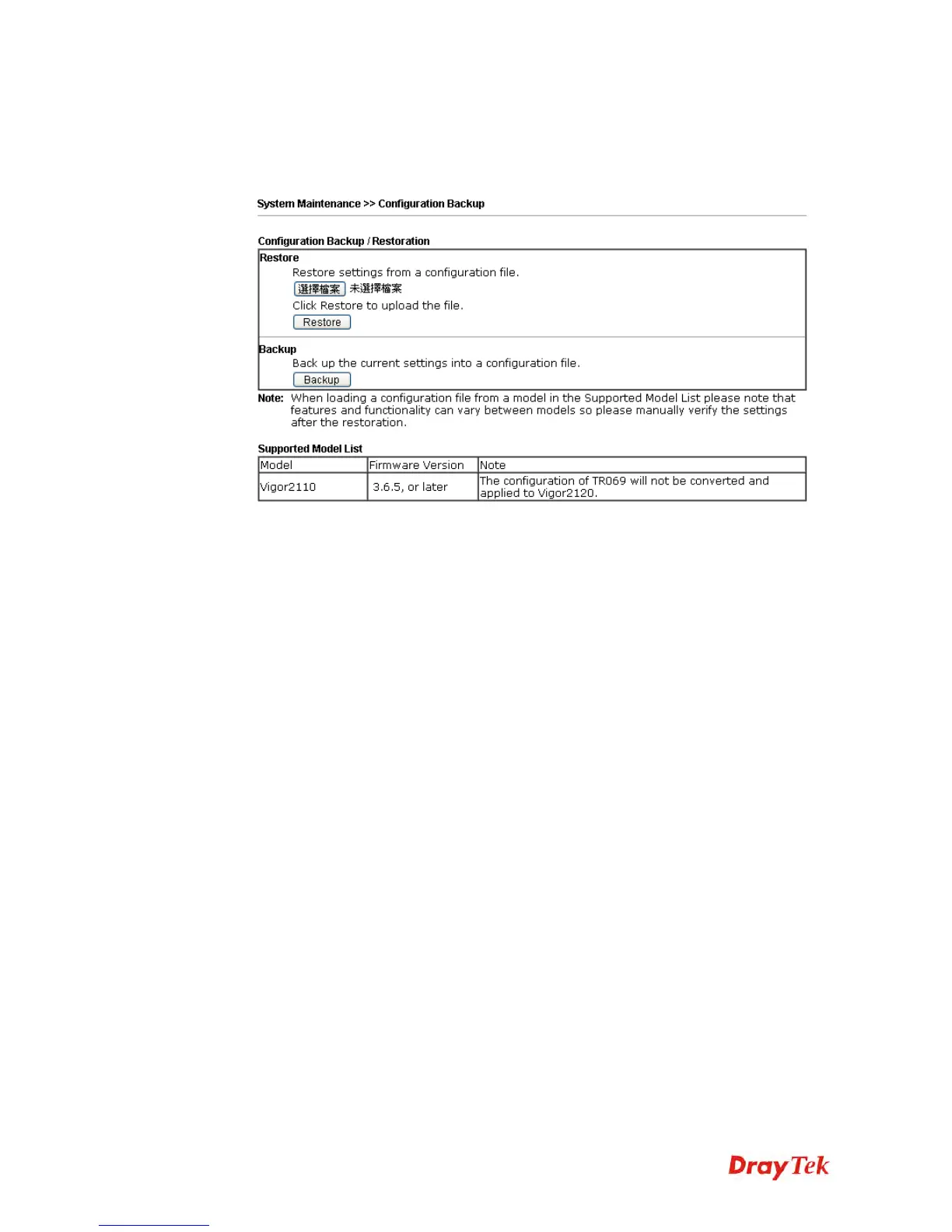
1. Go to System Maintenance >> Configuration Backup. The following windows will be
popped-up, as shown below.
2. Click the Choose File button to choose the correct configuration file for uploading to the
router.
3. Click the Restore button and wait for few seconds, the following picture will tell you
that the restoration procedure is successful.















 To Next Page