VigorSwitch G2080 User’s Guide
18
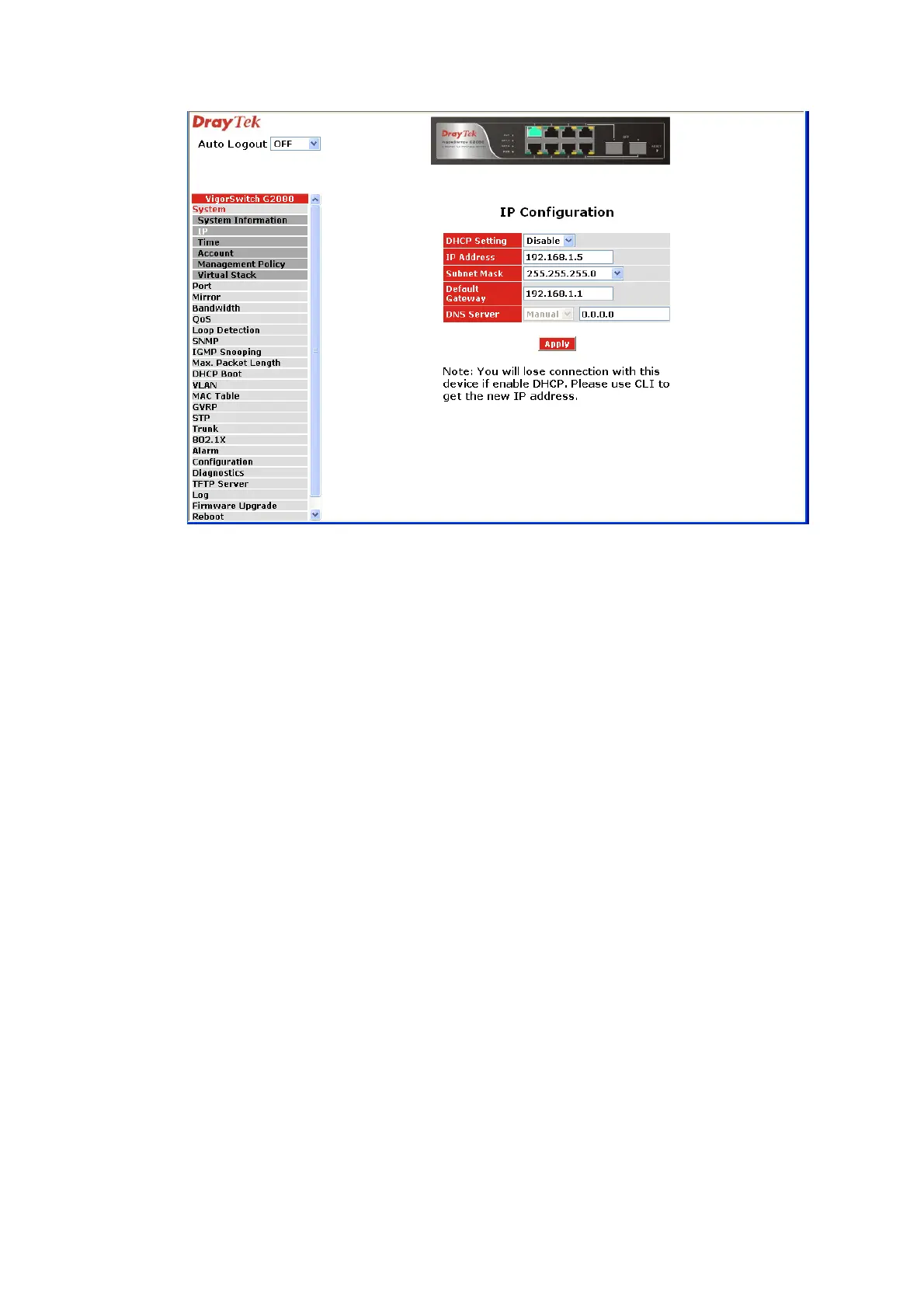
First, IP Address: as shown above, enter “192.168.1.1”, for instance. For sure, an IP
address such as 192.168.1.x must be set on your PC.
Second, Subnet Mask: as shown above, enter “255.255.255.0”. Any subnet mask such as
255.255.255.x is allowable in this case.
DNS:
The Domain Name Server translates human readable machine name to IP address. Every
machine on the Internet has a unique IP address. A server generally has a static IP address.
To connect to a server, the client needs to know the IP of the server. However, user
generally uses the name to connect to the server. Thus, the switch DNS client program
(such as a browser) will ask the DNS to resolve the IP address of the named server.
1
1
.
.
6
6
T
T
y
y
p
p
i
i
c
c
a
a
l
l
A
A
p
p
p
p
l
l
i
i
c
c
a
a
t
t
i
i
o
o
n
n
s
s
The VigorSwitch G2080 implements 8 Gigabit Ethernet TP ports with auto MDIX and two
slots for the removable module supporting comprehensive fiber types of connection
including LC and BiDi-LC SFP modules. The switch is suitable for the following
applications.
¾ Central Site/Remote site application is used in carrier or ISP


 To Next Page
 Loading...