MAINTENANCE SECTION 5
Page 37
DRESSTA OM560C99/1E
ENGINE
4. Start the engine and idle it for a few minutes. Inspect for oil leaks at the filters and drain plug.
Then stop the engine, wait for a couple of minutes to allow the oil to drain and check the oil level
per 5.11.1. If necessary, add oil to bring the oil level up to the specified mark on the oil level
gauge.
5. Close the engine side access door.
NOTE: Check the condition of drained oil.
– black oil indicates dilution with fuel
– milky discoloration indicates dilution with coolant
Such leaks may cause serious damage to the engine.
5.11.5. FAN
WARNING! Damaged fan blades may cause serious injury. Never pull the fan
blades nor lift them. This may damage the fan and cause injury.
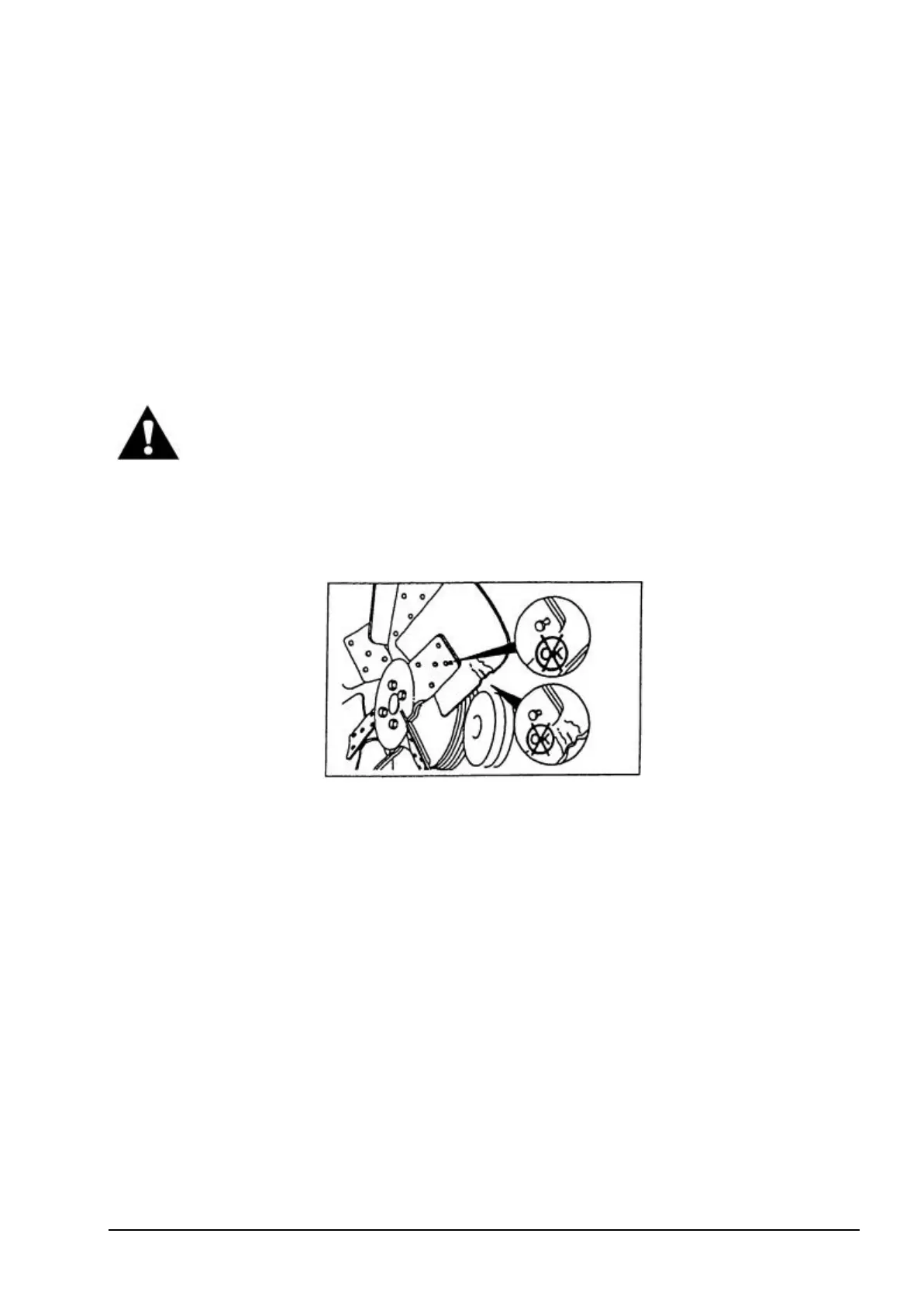
NOTE: Turn the fan as recommended by the engine manufacturer. Inspect the fan for cracked and
bent blades and loosened rivets. Check that the fan is securely mounted. Tighten the bolts if
necessary. A damaged fan must be replaced.
Fig. 5.35. Fan Defects
5.11.6. BELTS
INSPECTION
Inspect visually the drive belts. Replace badly worn, greasy or severely cracked belts immediately.
These conditions prevent proper function. Adjust the tension of the belts that have glossy surface
mating the pulley. This indicates belt slippage. If the belts are properly installed and tensioned, the
belt and pulley will wear evenly.


 To Next Page