Maintenance Alarm
104
9 MAINTENANCE ALARM
Depending upon module configuration one or
more levels of maintenance alarm may occur
based upon a configurable schedule.
There are three maintenance alarms in the
DSE86xx/DSE86xx series V3 and above, and
one level of maintenance alarm in prior
versions.
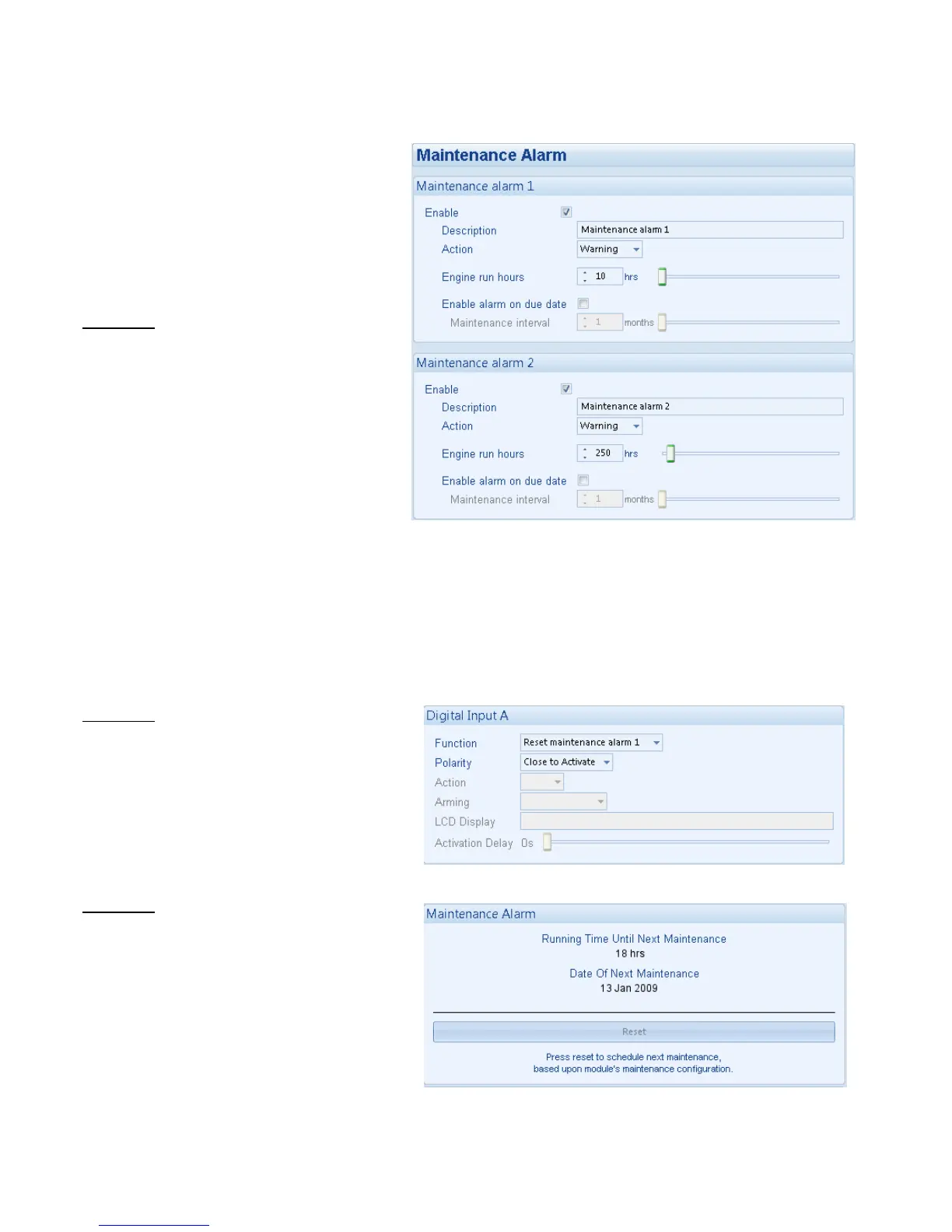
Example 1
Screen capture from DSE Configuration Suite
Software showing the configuration of
Maintenance Alarm 1 and Maintenance Alarm
2.
When activated, the maintenance alarm can be
either a warning (set continues to run) or
shutdown (running the set is not possible).
The site service engineer normally performs
resetting the maintenance alarm after
performing the required maintenance.
The method of reset is either by:
• Activating an input that has been configured to maintenance x reset, where x is the number of the
maintenance alarm (1 to 3).
• Pressing the maintenance reset button in the DSE Configuration Suite, Maintenance section.
• Maintenance reset on module front panel, on the display Engine, maintenance alarm x, by pressing the
Stop button till it resets.
Example 2
Screen capture from DSE Configuration Suite
Software showing the configuration of a digital
input for Reset Maintenance Alarm 1.
Example 3
Screen capture from DSE Configuration Suite
Software showing the Maintenance Alarm Reset
‘button’ in the DSE Configuration Suite SCADA |
MAINTENANCE section.



 To Next Page