Protections
81
6.4 STOP MODE
STOP mode is activated by pressing the button.
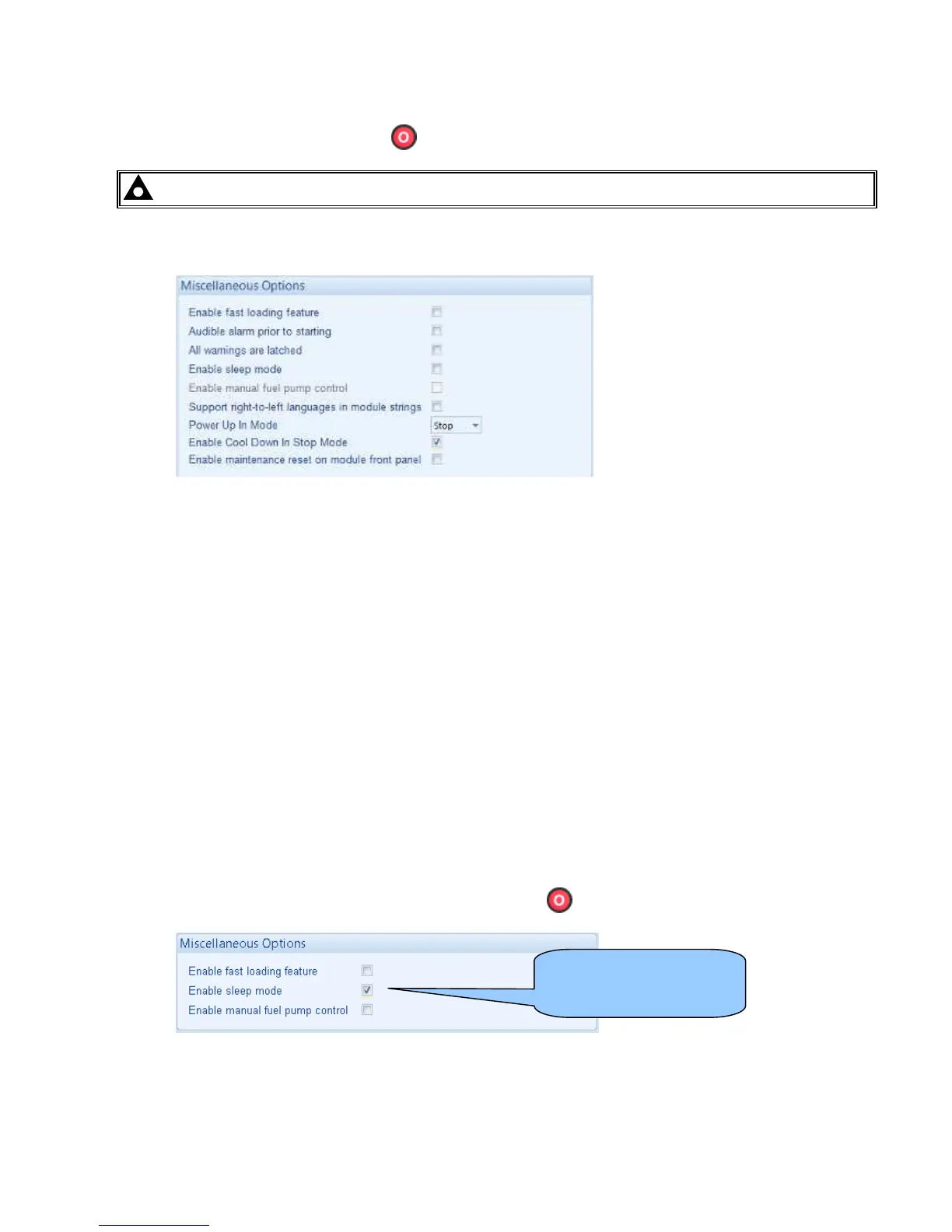
NOTE:- Enable Cool Down in Stop Mode option has been added to version 6.0
In STOP mode, the module will immediately remove the generator from load (if necessary) before stopping the
engine if it is already running.
• If Cool Down in Stop Mode not enabled, no cooling run is provided for this operation. Where a cooling run
is required, switch to MANUAL mode and open the breaker manually. Allow the set to cool off load, before
pressing the STOP button to stop the engine.
• If Cool Down in Stop Mode enabled, cooling run is provided for this operation. The set will run off load for
the amount of time configured in Load/Stopping Timers, Cooling Time before the set is stopped.
If the engine does not stop when requested, the FAIL TO STOP alarm is activated (subject to the setting of the
Fail to Stop timer). To detect the engine at rest the following must occur:
• Engine speed is zero as detected by the Magnetic Pickup or CANbus ECU (depending upon module
variant).
• Generator frequency must be zero.
• Oil pressure switch must be closed to indicate low oil pressure (MPU version only)
When the engine has stopped, it is possible to send configuration files to the module from DSE Configuration
Suite PC software and to enter the Front Panel Editor to change parameters.
Any latched alarms that have been cleared will be reset when STOP mode is entered.
The engine will not be started when in STOP mode. If remote start signals are given, the input is ignored until
AUTO mode is entered.
When configured to do so, when left in STOP mode for five minutes with no presses of the fascia buttons, the
module enters low power mode. To ‘wake’ the module, press the button or any other fascia control button.
Sleep mode configuration
in the DSE Configuration
Suite Software



 To Next Page