Specification
30
3.10 DSENET® FOR EXPANSION MODULES
DSENet® is the interconnection cable between the host controller and the expansion module(s) and must not be
connect to any device other than DSE equipment designed for connection to the DSENet®
Cable type Two core screened twisted pair
Cable characteristic impedance
120Ω
Recommended cable Belden 9841
Belden 9271
Maximum cable length 1200m (¾ mile) when using Belden 9841 or direct equivalent.
600m (666 yds) when using Belden 9271 or direct equivalent.
DSENet® topology “Daisy Chain” Bus with no stubs (spurs)
DSENet® termination
120Ω. Fitted internally to host controller. Must be fitted externally to the ‘last’
expansion module by the customer.
Maximum expansion modules Total 20 devices made up of DSE2130 (up to 4), DSE2131 (up to 4), DSE2133
(up to 4), DSE2152 (up to 4), DSE2157 (up to 10), DSE2548 (up to 10)
This gives the possibility of :
Maximum 80 additional relay outputs
Maximum 80 additional LED indicators
Maximum 32 additional inputs (16 of which can be analogue inputs if required)
NOTE: As a termination resistor is internally fitted to the host controller, the host controller must be
the ‘first’ unit on the DSENet®. A termination resistor MUST be fitted to the ‘last’ unit on the DSENet®. For
connection details, you are referred to the section entitled ‘typical wiring diagram’ elsewhere in this
document.
NOTE : DSE8600 series does not support the 2510/2520 display modules.
3.10.1 DSENET® USED FOR MODBUS ENGINE CONNECTION
As DSENet® utilises an RS485 hardware interface, this port can be configured for connection to Cummins
Modbus engines (Engines fitted with Cummins GCS).
This leaves the RS485 interface free for connection to remote monitoring equipment (i.e. Building Management
System, PLC or PC RS485 port).
While this is a very useful feature in some applications, the obvious drawback is that the DSENet® interface is no
longer available for connection to expansion devices.
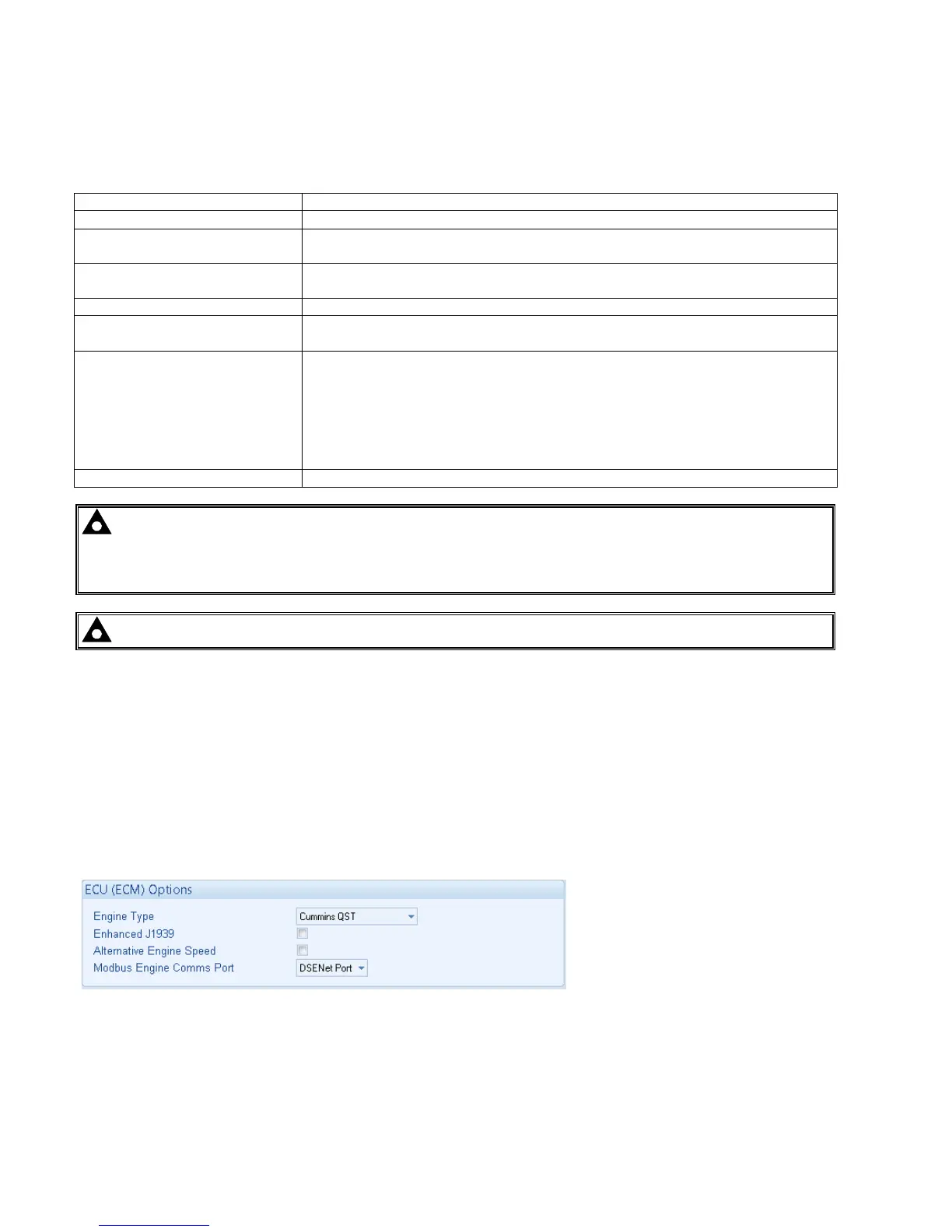
Example of configuring the DSENet® for connection to Cummins QST GCS using the DSE Configuration Suite
Software:



 To Next Page