Specification
33
3.13.1 FIXING CLIPS
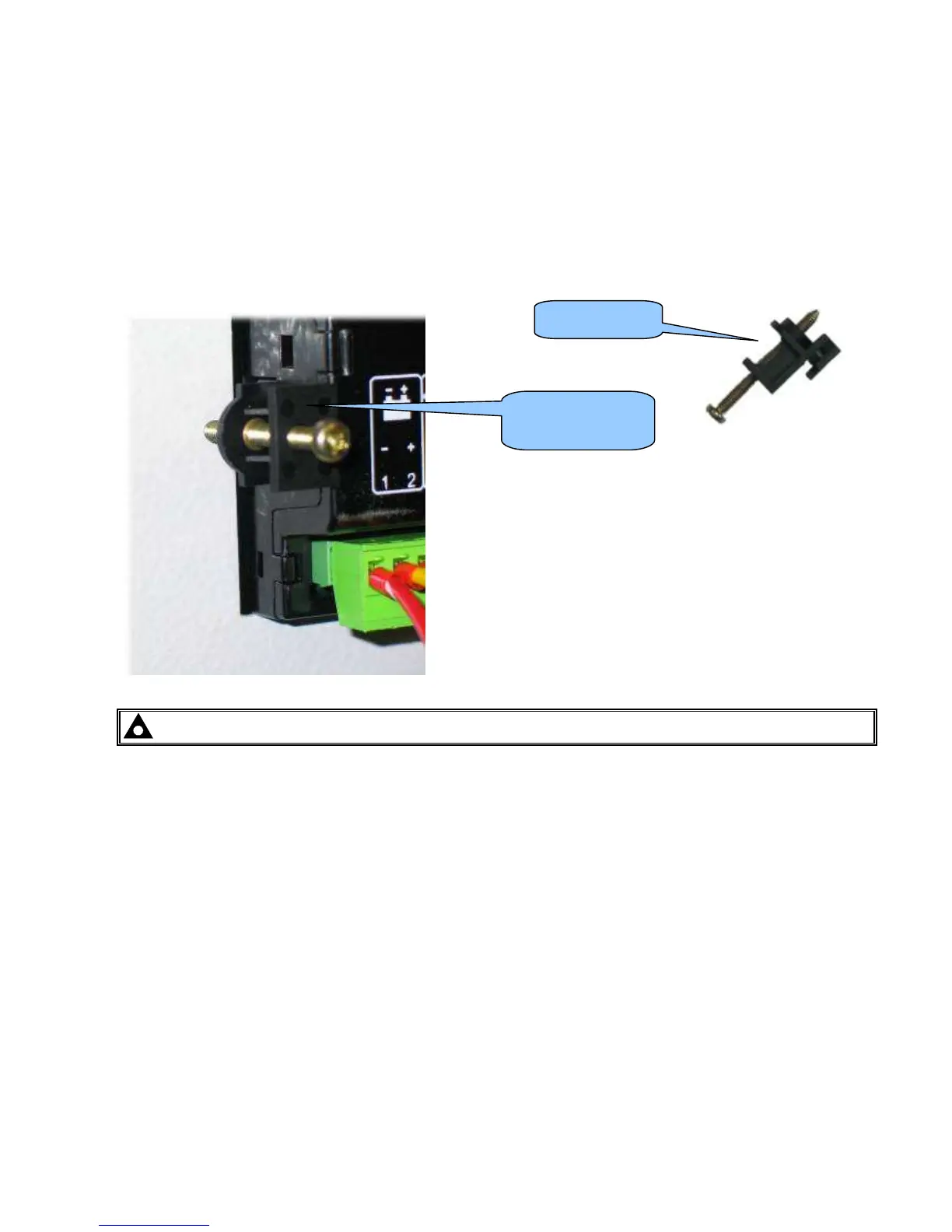
Supplied fixing clips hold the module into the panel fascia.
Withdraw the fixing clip screw (turn anticlockwise) until only the pointed end is protruding from the clip.
• Insert the three ‘prongs’ of the fixing clip into the slots in the side of the 8600 series module case.
• Pull the fixing clip backwards (towards the back of the module) ensuring all three prongs of the clip are
inside their allotted slots.
• Turn the fixing clip screws clockwise until they make contact with the panel fascia.
• Turn the screws a little more to secure the module into the panel fascia. Take care not to over tighten the
fixing clip screws.
NOTE - In conditions of excessive vibration, mount the module on suitable anti-vibration mountings.
Fixing clip fitted to
module
Fixing clip



 To Next Page