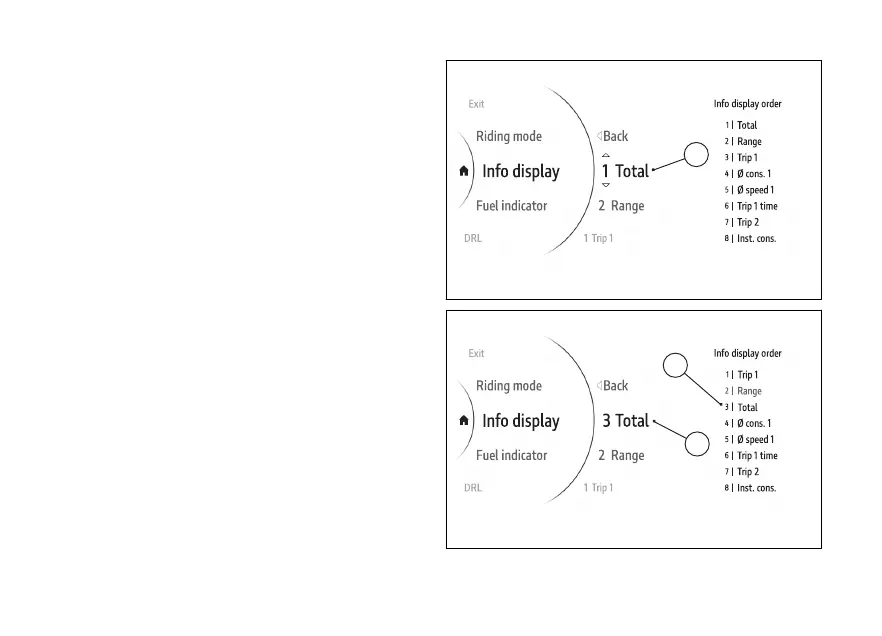
In the following example, the position of the
Total item is changed from 1 to 3:
●
Use (1) and (2) to select item "Total and
press the ENTER (3).
●
Two arrows (A, Fig 128)are displayed above and
below the position number, indicating that by
means of the (1) and (2) it is possible to
change the position number from 1 to 8 (in this
example "3").
●
Press ENTER to confirm. The order of the Info
display is then updated with the new position
(B, Fig 129).
Fig 128
Fig 129
154











 To Next Page