12 | 2.5 Loading Ribbon
DuraLabel.com | 800.788.5572
LOADING THE PRINTER
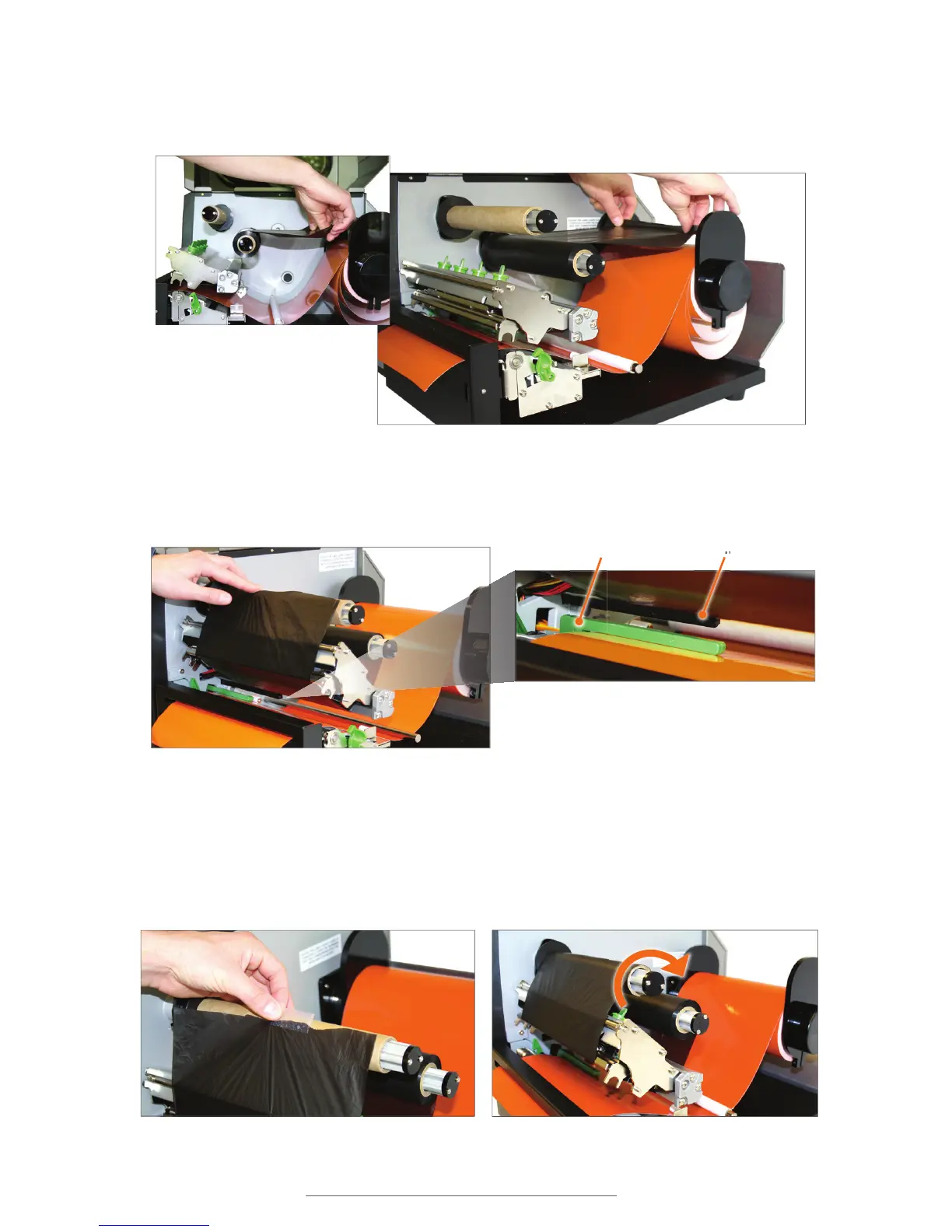
D. Pull the leading edge of the ribbon supply toward the back of the printer to provide
enough ribbon to go through the printer.
E. Pull it down and thread it underneath the print head mechanism and above the
ribbon sensor (black bar above green media sensor).
F. Tape the end of the ribbon supply to the front of the empty supply core.
G. Roll the ribbon rewind spindle clockwise a few times toward the back of the printer
to tighten the ribbon and remove flaws and fingerprints.
Ribbon supply pulled to back of printer
Ribbon supply being pulled toward back
of printer
Ribbon being threaded underneath the print head mechanism and above the ribbon sensor.
Media Sensor Ribbon Sensor



 To Next Page