DuraLabel.com | 800.788.5572
10.11 Wrinkles Appear on Half of Label | 47
TROUBLESHOOTING
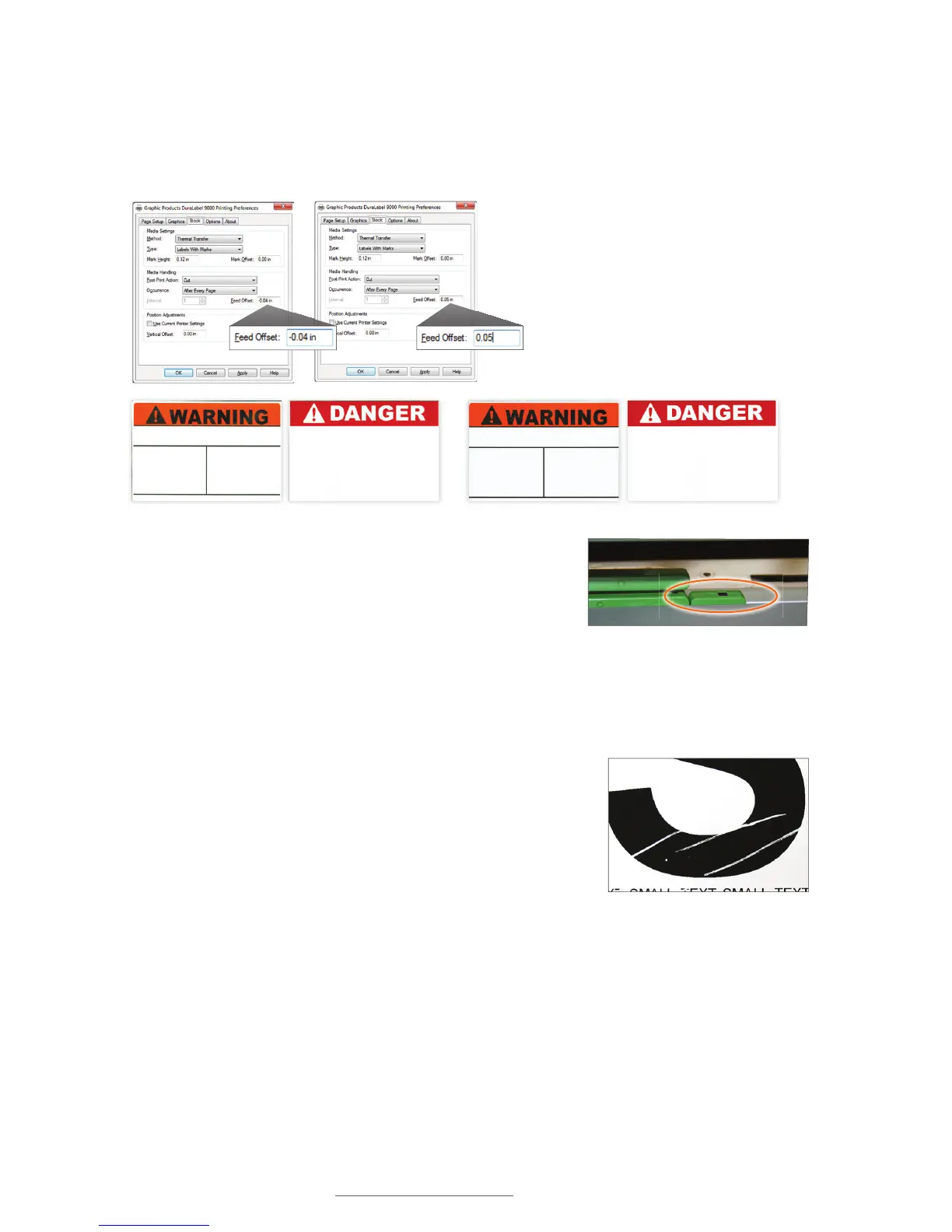
10.10 Printer Cuts Labels Off-Center or into the Next Label
Possible Cause: Feed Offset is not on correct setting.
Solution: Adjust Feed Offset to proper setting.
Possible Cause: Media sensor is reading B Mark label
content.
Solution: Move media sensor to edge of the supply,
away from any printed content, but still positioned
under the supply.
10.11 Wrinkles Appear on Half of Label
Possible Cause: The ribbon wrinkles due to uneven print
head pressure.
Solution: Set the adjustable pressure knobs. Increasing
the pressure sometimes helps reduce unprinted specks,
as well.
Die-cut and B Mark labels cut correctly (l) … and cut off-center (r)
Adjust Feed Offset to a setting where printer cuts die-cut or
B Mark labels correctly. The 0 default setting works best for
most label supply.
If your B Mark labels are printing off-
center, align the media sensor under
supply but away from any printed content.
Ribbon wrinkled



 To Next Page