42 | 9.2 Cutter
DuraLabel.com | 800.788.5572
CLEANING AND GENERAL MAINTENANCE
9.2 Cutter
A. Open the DuraLabel 9000 cover.
B. Rewind any loaded supply away from
the cutting mechansim.
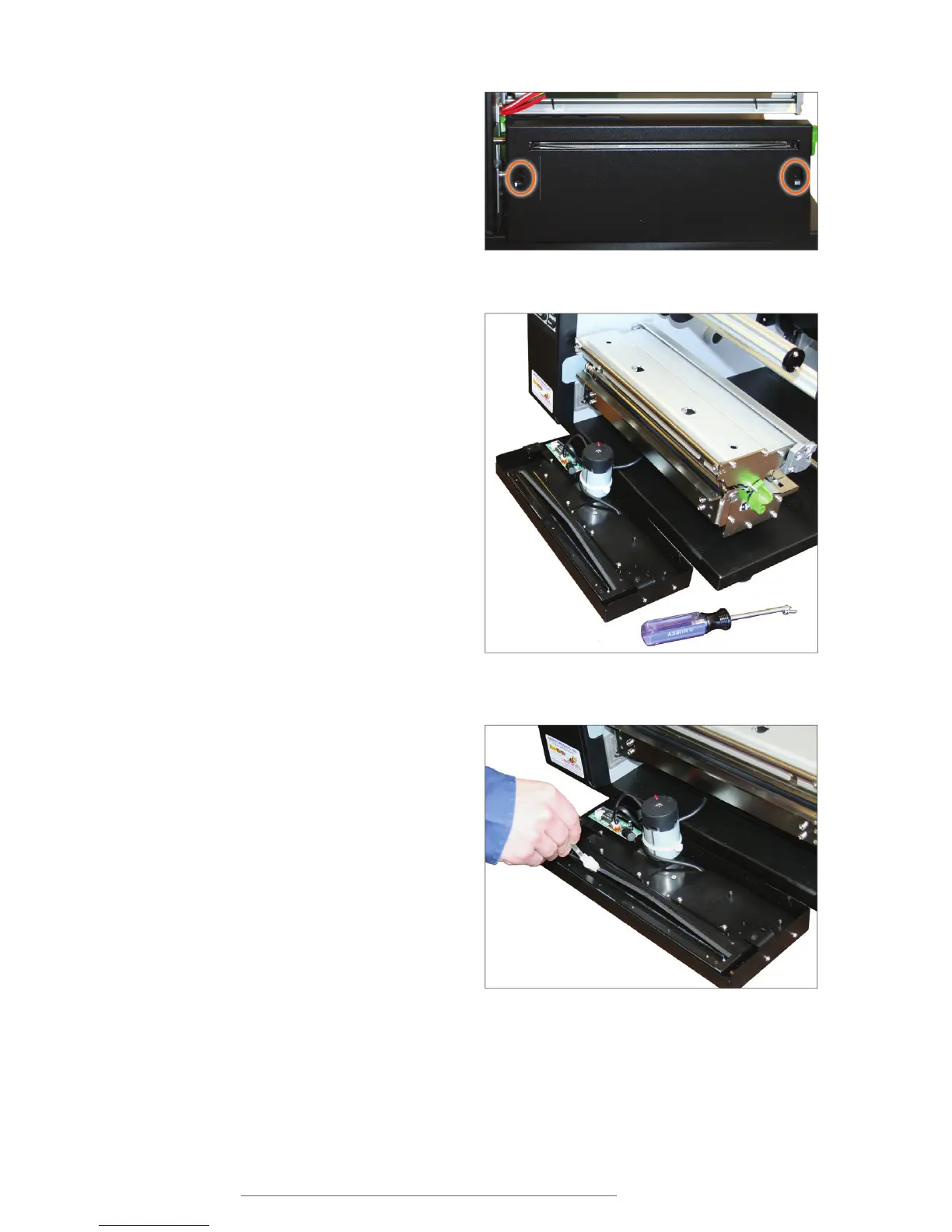
C. Using a magnetic screwdriver,
remove the two recessed screws on
the front of the cutting mechanism.
D. Lift up the cutting mechansim
slightly and pull it away from the
printer body.
E. Place a cleaning swab between
your forefinger and thumb and
squeeze until it snaps. Alcohol will
be distributed to the cotton side of
the swab.
F. Run the swab back and forth
several times across all sides of the
cutting mechanism’s cutting blades
to remove any buildup of labeling
adhesive.
G. Attach the cutting mechanism to the
front of the printer and tighten the
screws.
Remove the recessed screws, shown inside the circles.
Detached cutter mechanism, exposing cutting blades
Cleaning blades inside cutter mechanism



 To Next Page