DuraLabel.com | 800.788.5572
2.3 Loading Vinyl Supply | 7
LOADING THE PRINTER
2.2 Supplies
The DuraLabel 9000 ribbon and other media have been optimized for compatibility and
print quality. Only authorized supplies from Graphic Products will print correctly in the
DuraLabel 9000.
2.3 Loading Vinyl Supply
IMPORTANT! Always turn the printer OFF when loading supplies. Always wait at least 5
seconds before turning power back ON.
NOTE: Watch a demonstration of supply loading,
viewable at DuraLabel.com/duralabel-videos.
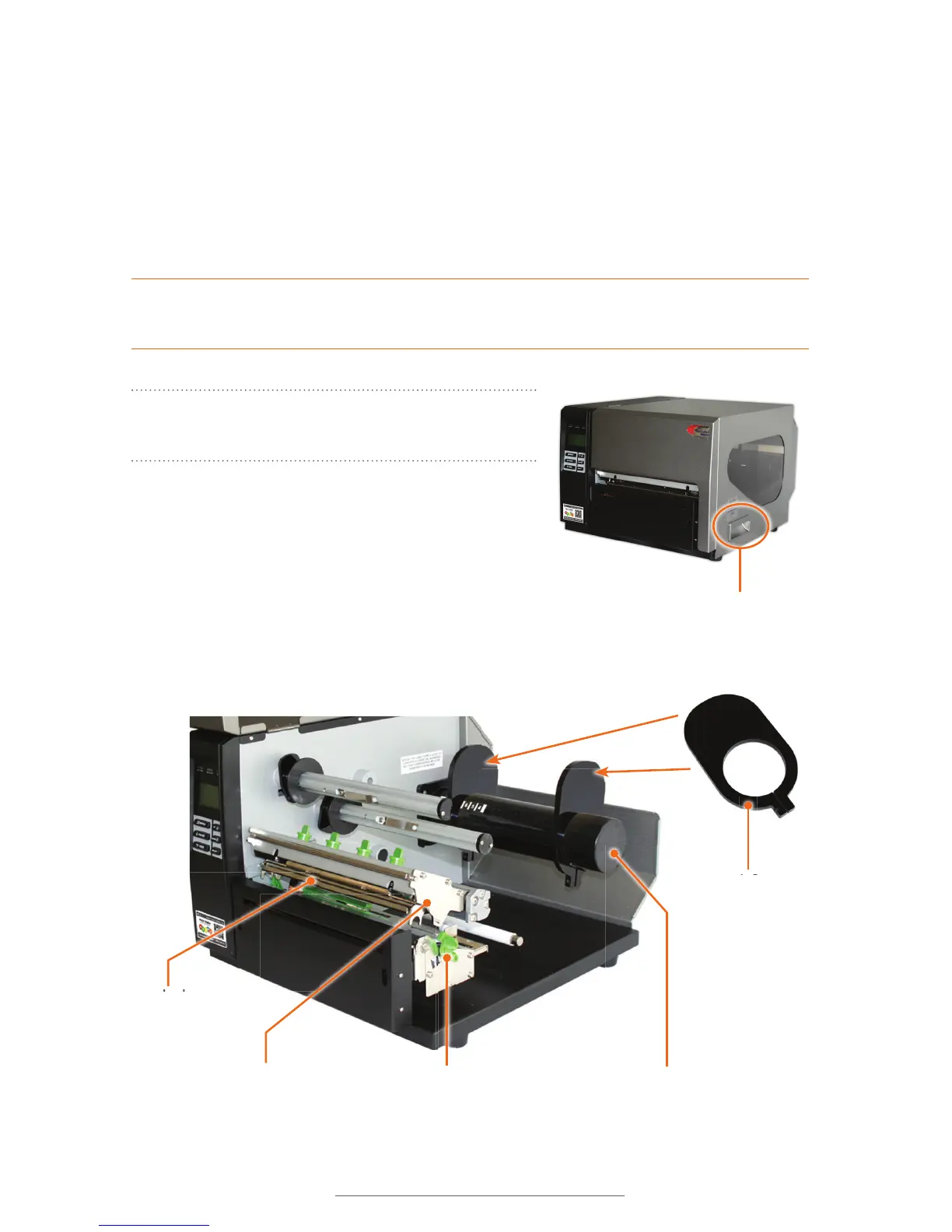
A. Open the printer cover by lifting up on the
handle.
B. Push the green print head release lever to pop
up the print head mechanism.
C. Remove and set aside the outside supply guide from the supply bar.
Supply Guide
Supply Bar
Handle on Printer
Cover
Print Head
Print Head Mechanism
Print Head Release Lever



 To Next Page