8 | 2.3 Loading Vinyl Supply
DuraLabel.com | 800.788.5572
LOADING THE PRINTER
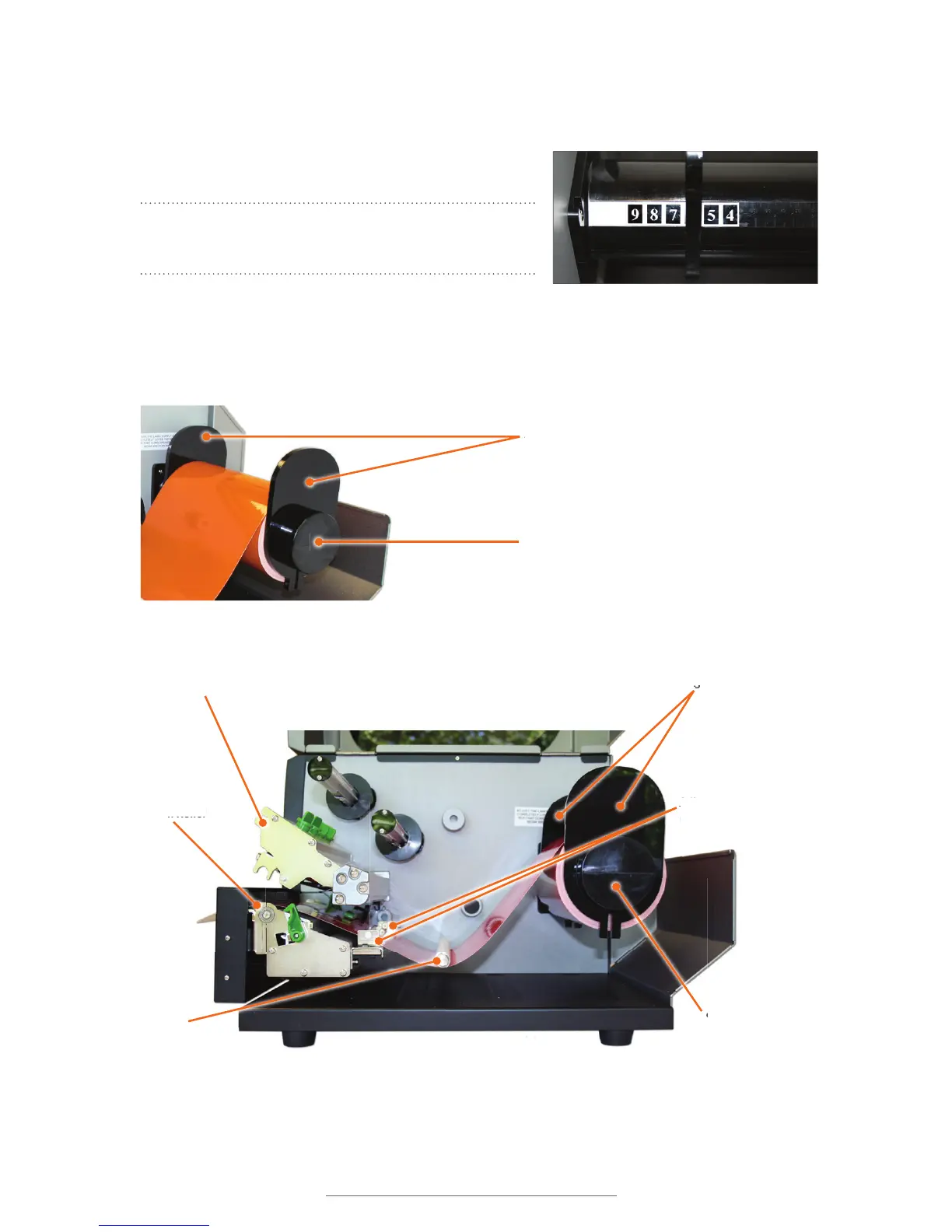
D. Adjust the inside supply guide to cover the number corresponding to the size of
label supply being loaded (see photo below).
E. Place the label supply onto the supply bar.
NOTE: Label supply should roll over the top and
toward the front of the printer.
F. Fit the outside supply guide onto the label bar,
against the label supply but with enough room
for the label supply to rotate with ease.
The inside supply guide is set for 6" label supply.
Supply Guides
Supply Bar



 To Next Page