DuraLabel.com | 800.788.5572
2.3 Loading Vinyl Supply | 9
LOADING THE PRINTER
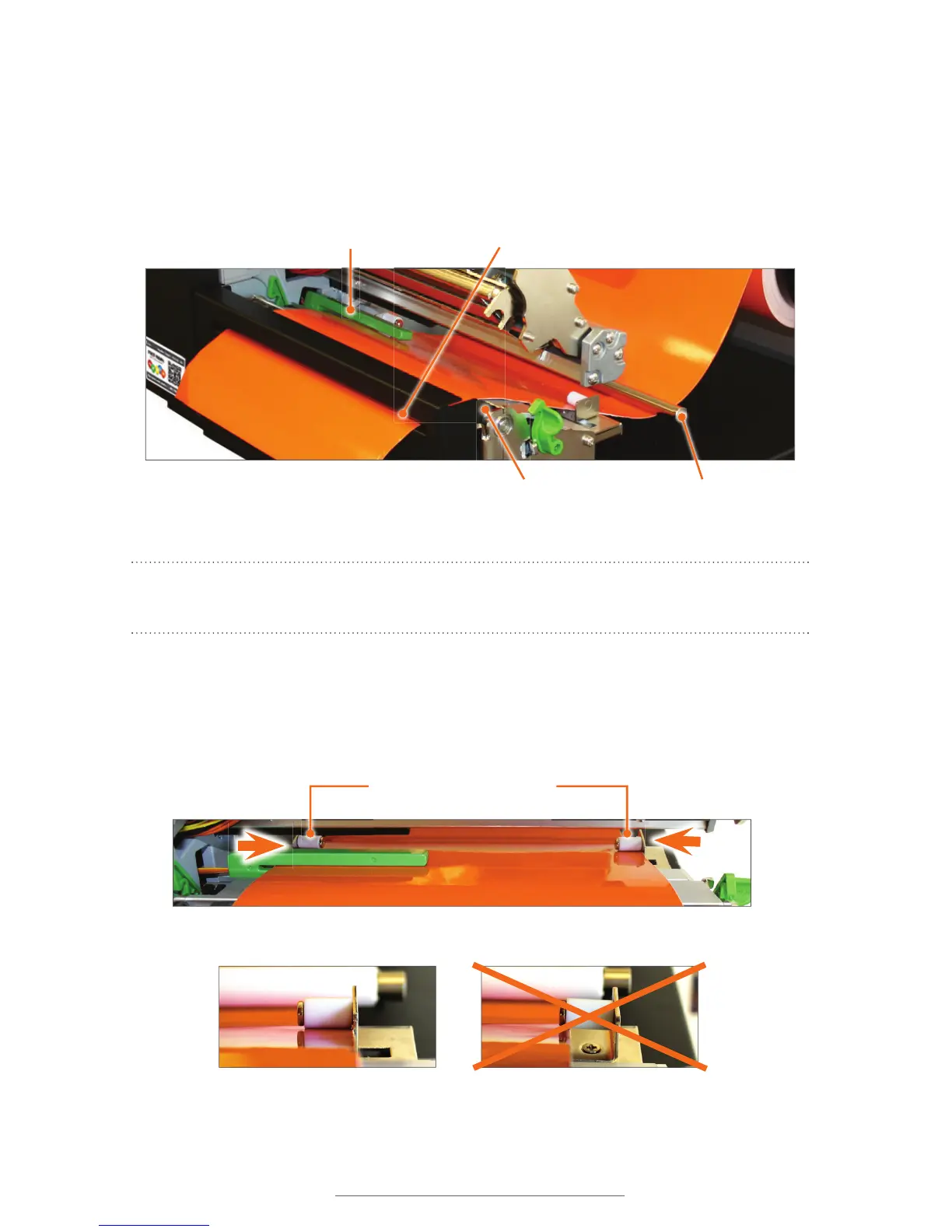
G. Pull the leading edge of the label supply and thread it under the media guide bar
and through the adjustable media guides.
H. Pull the label supply over the black platen roller and through the printed label
opening.
Adjustable media guides Àtted to width of vinyl supply
Adjustable Media Guides (white)
Guide Àtted correctly
Guide not Àtted correctly
Vinyl properly loaded
Media Guide Bar
Printed Label Opening
Platen Roller (black)
Media Sensor (green)
NOTE: Make sure the label supply threads under the green media sensor, located
under the print head.
I. Move the adjustable media guides to fit the width of the label supply, securing the
label supply in place.



 To Next Page