10 E4D NEVO Version 5.0 10822801.C
Removable Components
The E4D NEVO system has a set of removable components.
Connecting the Thunderbolt™ Adapter
Properly connecting and disconnecting the scanner will prevent damage to
your devices.
1. Insert the Thunderbolt adapter into the adapter slot on the side of the
laptop. (The adapter should remain attached, even when not in use.)
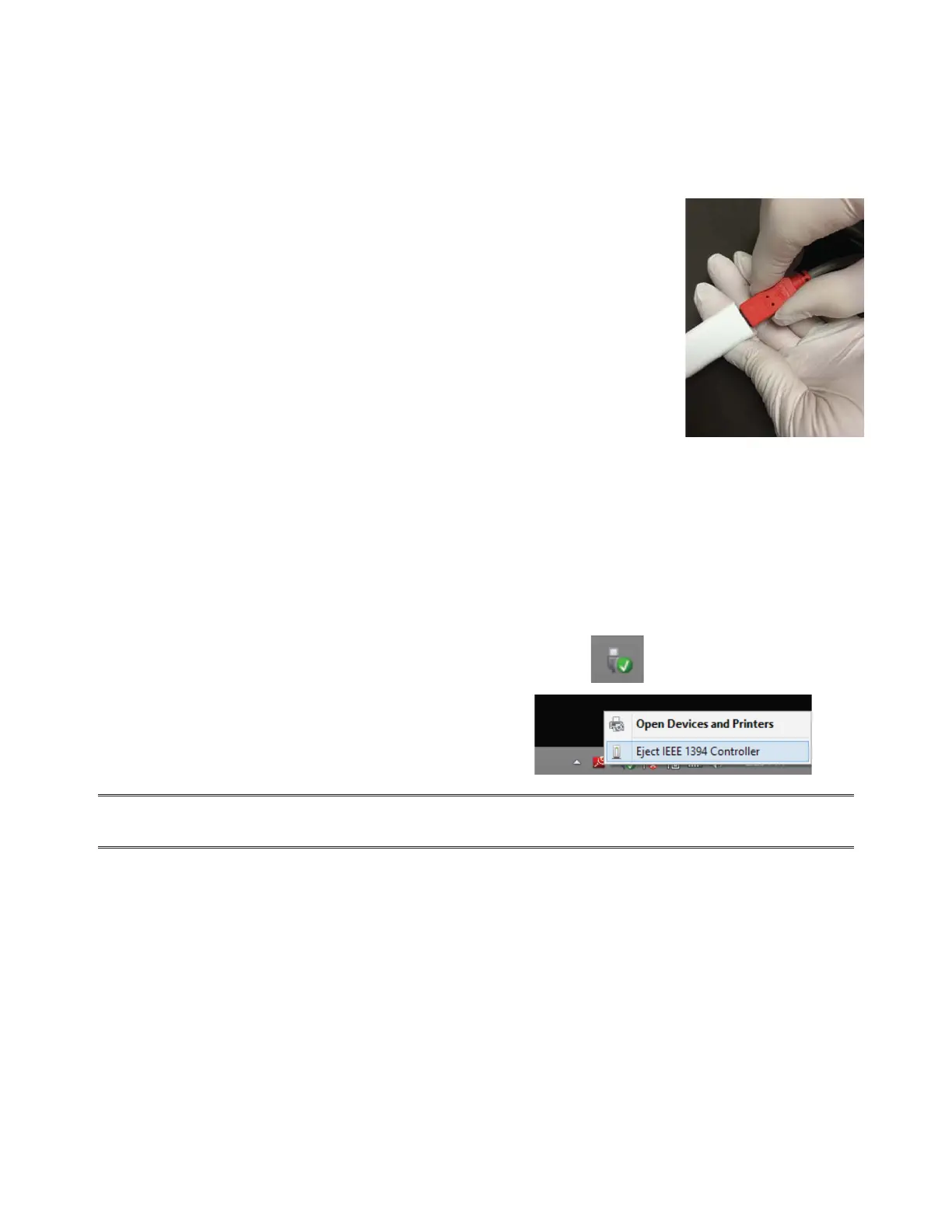
2. After opening the Design Center software, connect the red FireWire
connector of the scanner into the white Thunderbolt™ adapter.
The Design Center will give an audible signal to con rm that the connection is
fully seated.
To remove the scanner, hold the red end with one hand and with the other
hand grasp the Thunderbolt adapter. Gently pull apart to disconnect. Leave the
white Thunderbolt adapter attached to the computer.
Disconnecting the Thunderbolt™ Adapter
If you wish to remove the adapter from the laptop:
1. Disconnect the scanner and exit the Design Center to the Windows desktop.
2. Navigate to the Eject Media icon in the lower left of the desktop.
3. Click the icon and choose Eject IEEE 1394 Controller.
4. Remove the Thunderbolt adapter from the laptop.
NOTE: Failure to follow this procedure may result in an inoperable scanner. For additional
questions or concerns please contact Customer Support at 800.537.6700



 To Next Page