Customer Support 800.537.6070 33
Evaluating the Bridge
It is important to evaluate the connections on the bridge and look for possible hangups.
The sprue will be on the mesial or distal side of the bridge.
1. Click View Model to hide the model.
2. Click Sim.
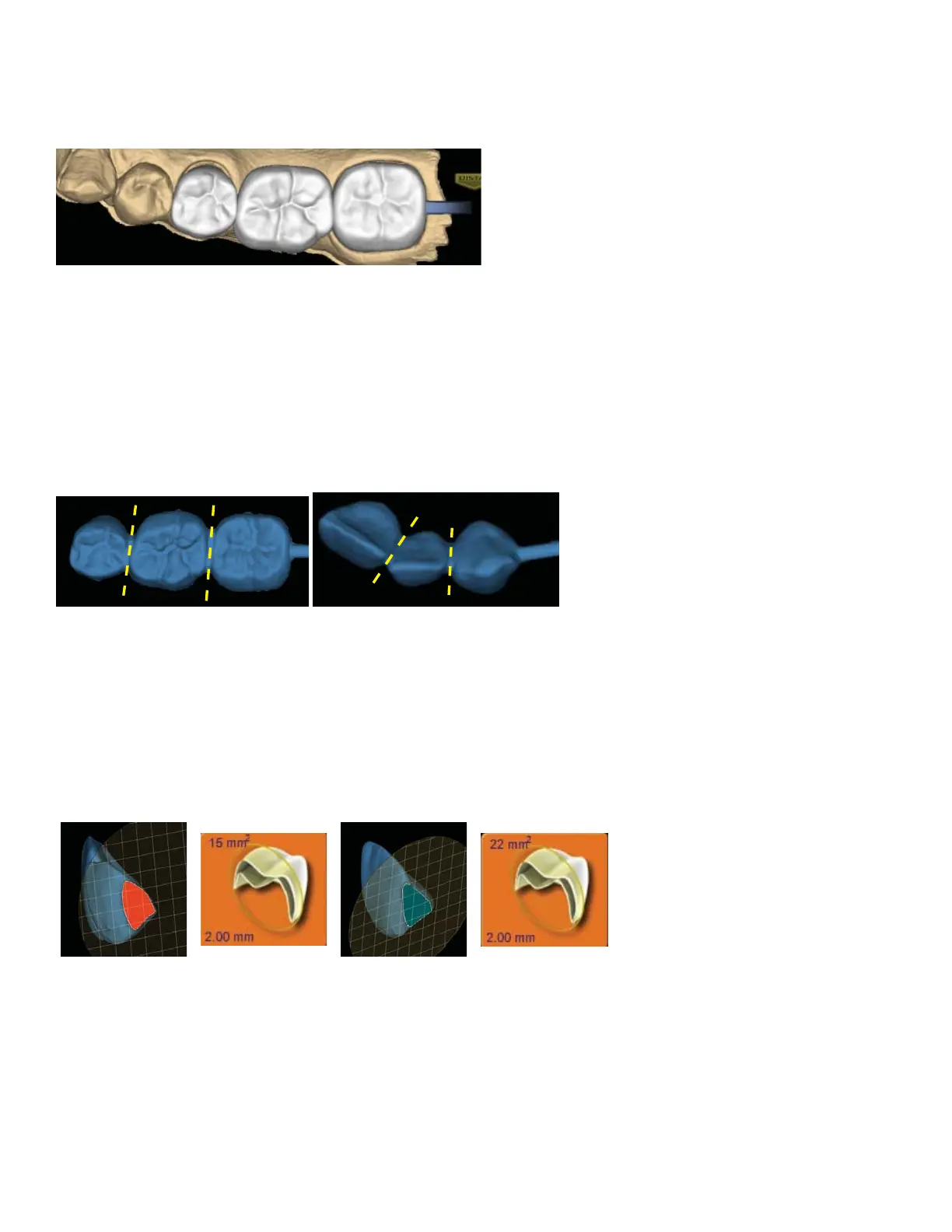
When the Simulation is run, the connections between the teeth are displayed.
3. Click Slice Plane twice.
When Slice Plane is activated on a bridge mill simulation, the system measures the slice width. If the slice is
thinner than the material guidelines, the slice displays as red. It is important to slice the simulation through
the thinnest part of the connectors (yellow lines in the examples).
Posterior cases tend to have wider contacts with smaller embrasures and are unlikely to be thin. Anterior
cases have smaller contacts and larger embrasures. Any thin area should be evaluated.
4. Move the Slice Plane to a connector. If the Slice Plane needs to be rotated to slice through the thinnest
part, hold down the Ctrl key while moving the mouse to rotate.
5. Rotate the model to view the slice.
6. If the slice is red, adjust your embrasures and/or contacts and try the simulation again. Note that when
the model is hidden, the Slice Plane icon displays the mm
2
area.
Minimum required thickness:
• Zirlux FC2 - 9 mm
2
• Telio CAD - 12 mm
2
• IPS e.max - 16 mm
2
7. Click View Model to activate it.
8. Click the Gingival View Control arrow to view the model from underneath.
9. Look for internal hangups (blue seen through the stone model on the axial walls or occlusal surface).
Blue around the margin is expected due to the margin ramp. If there are any hangups, adjustments need to
be made to the Spacer on the Design tab. Call Customer Support for help on your rst few cases if there are
hangups on Bridges.



 To Next Page