Customer Support 800.537.6070 11
Connecting the Scanning Tip
(After disinfection if scanning intraorally. See insert with
scanning tips for further details.)
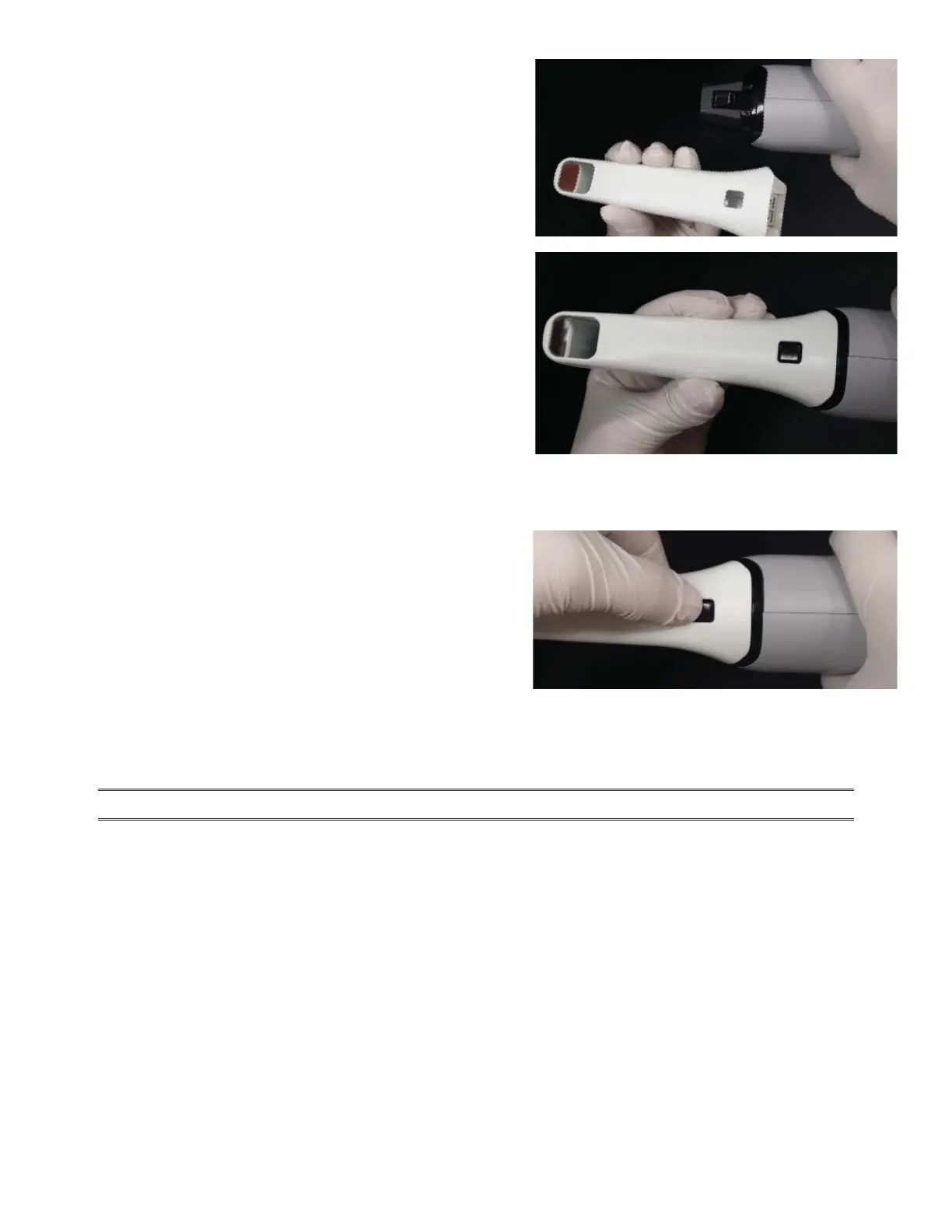
1. Grasp the body of the scanner with one hand.
2. Use the other hand to press the scanning tip onto the
scanner as shown. A locking click will be heard once the
tip is fully seated.
Disconnecting the Scanning Tip
1. Grasp the body of the scanner with one hand.
2. With your other hand depress the black button on the
underside of the scanner. Gently pull the tip from the
scanner.
When the scanner is not in use, place the non-functional
protective scanner tip on the scanner.
(Included with the scanner during shipping.)
NOTE: Failure to follow this procedure may result in damage to the scanner and scanning tip.



 To Next Page