Customer Support 800.537.6070 21
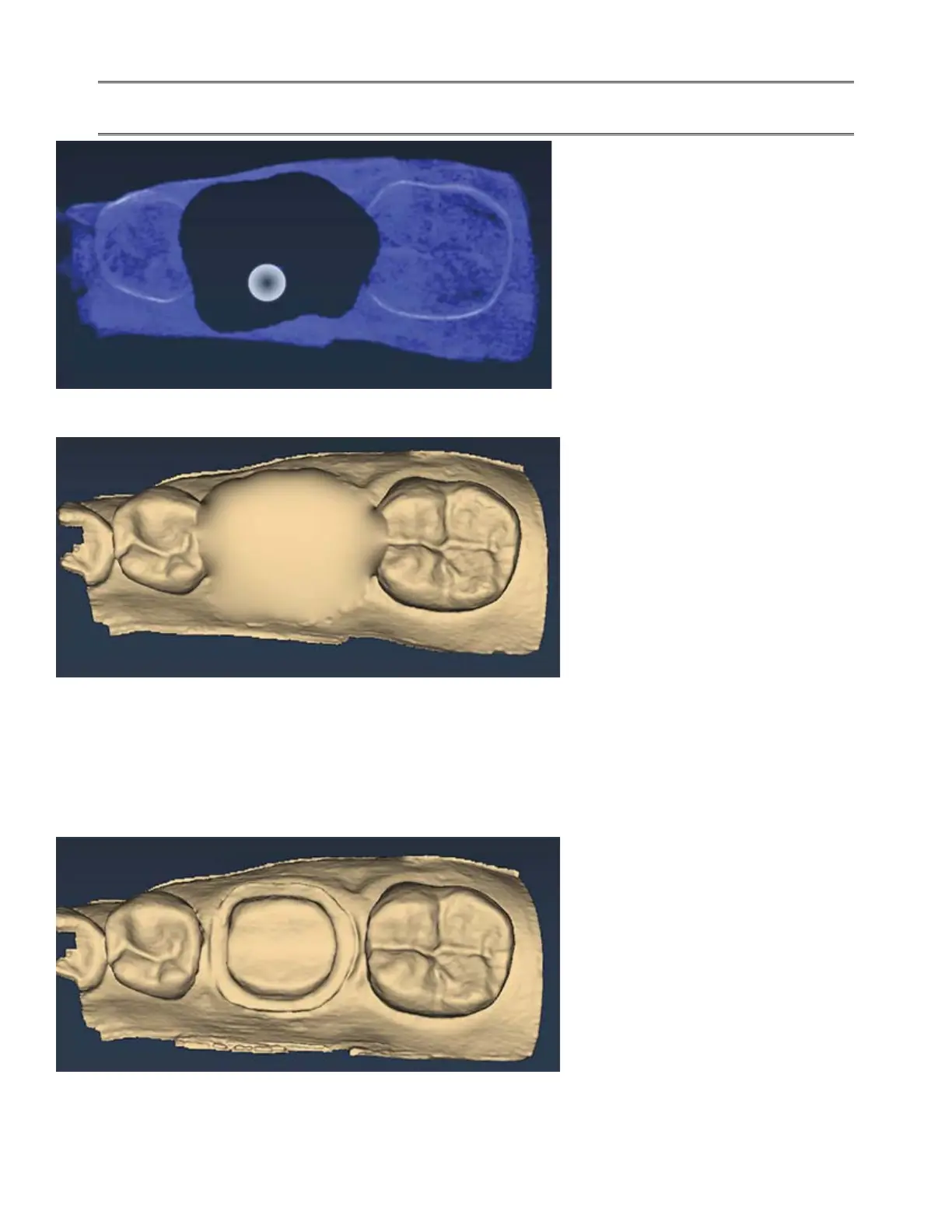
7. Erase the tooth that has been prepared and the marginal ridges of the proximal teeth.
If you erase the buccal and lingual gingival data, most of your model will disappear. If this
happens, the other side of your model will reappear as you scan the connection.
8. Click the Eraser Tool to deactivate it. The model is smooth where the data has been erased.
9. Activate the wand and scan begin the scans with the occlusal of one of the proximal teeth. Once you
have established your position, you can begin scanning the preparation. DO NOT start your scans over the
missing data.
10. Scan the entire preparation and any of the proximal tooth data that was removed.
11. Click Generate Model or press M on the keyboard.



 To Next Page