2 Installation
2.2 Mounting Considerations
18 SmartWire-DT Gateway EU5C-SWD-EIP-MODTCP 08/17 MN120003Z EN www.eaton.eu
2.2 Mounting Considerations
Install the EU5C-SWD-EIP-MODTCP gateway in a control cabinet, a panel-
board, or an enclosure in such a way that the power supply and terminal con-
nections cannot be touched accidentally during operation. Snap the device
onto an IEC/EN 60715 top-hat rail or fix it in place using fixing brackets.
EU5C-SWD-EIP-MODTCP gateways can be mounted either vertically or hori-
zontally.
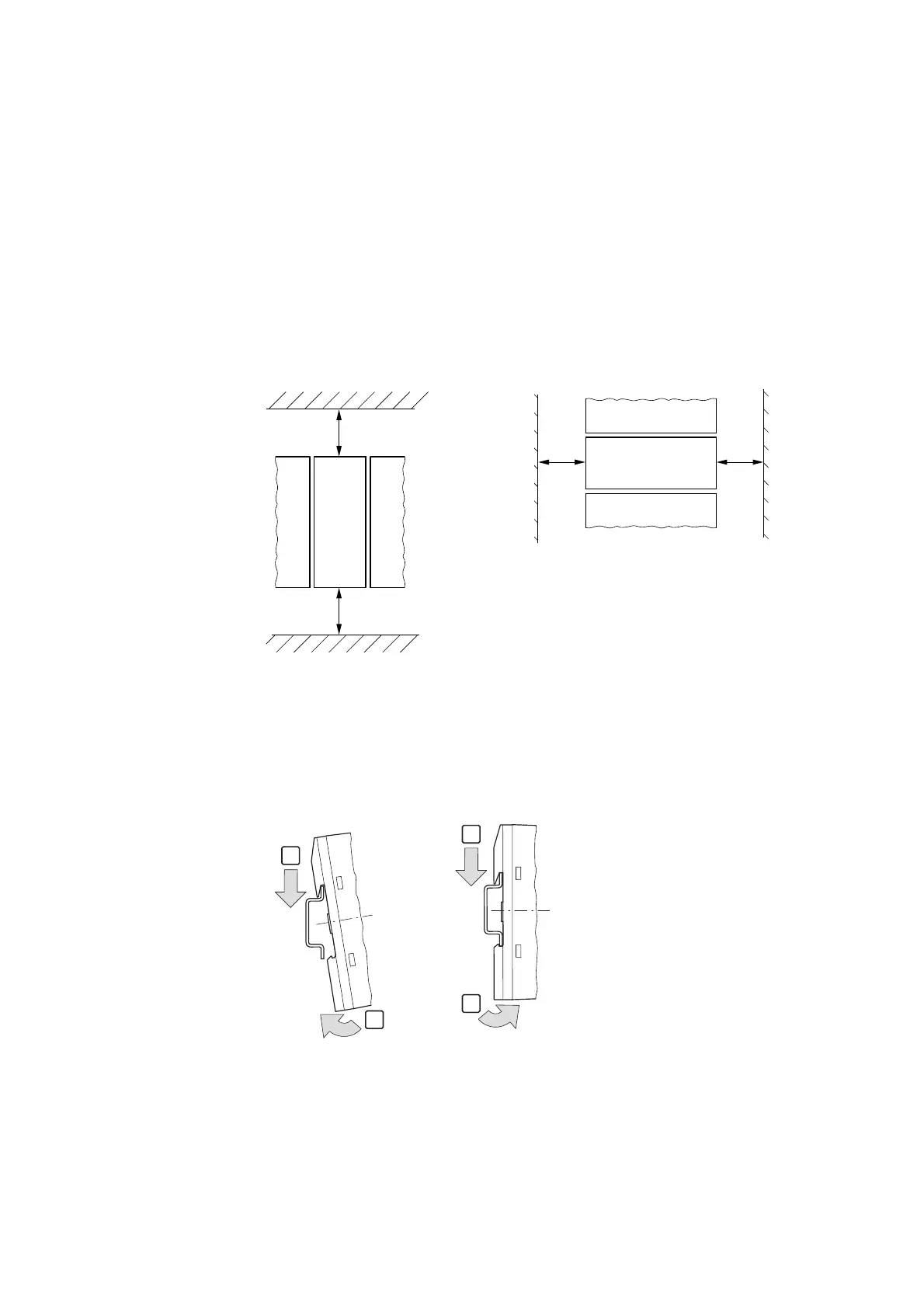
For ease of wiring, leave a clearance of at least 3 cm between the device ter-
minals and the wall or adjacent devices.
2.2.1 Mounting the EU5C-SWD-EIP-MODTCP gateway on a top-hat rail
Before mounting the device, make sure that you have set the device's field
bus address.
Figure 8: Mounting on top-hat rail
▶ Place the EU5C-SWD-EIP-MODTCP gateway on the top-hat rail's upper
edge in an inclined position. Lightly push the device down and against
the top-hat rail until it snaps into place over the top-hat rail's lower edge.
Figure 6: Vertical mounting Figure 7: Horizontal mounting
30 mm
(1.18”)
30 mm
(1.18”)
1
2




 To Next Page