4 Creating a planned SmartWire-DTSmartWire-DT configuration in SWD-Assist
4.4 Ethernet parameters tab
SmartWire-DT Gateway EU5C-SWD-EIP-MODTCP 08/17 MN120003Z EN www.eaton.com 37
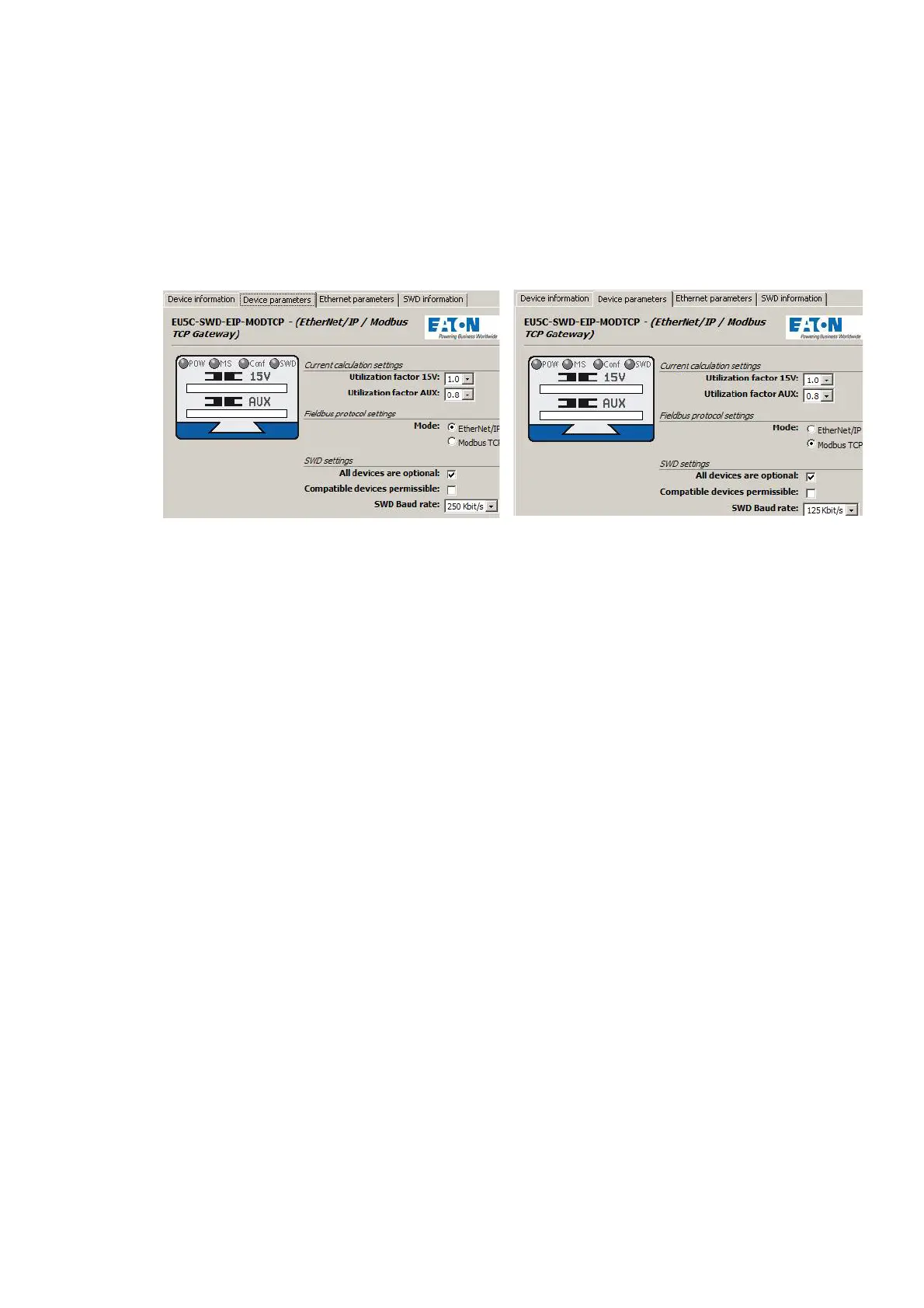
Figure 20: Selecting the field bus protocol in SWD-Assist:
left - Ethernet/IP; right - Modbus/TCP
The field bus protocol you select will affect the way I/O allocation lists are
created for the PLC programming environment during the planning phase.
EtherNet/IP
If you select EtherNet/IP as the mode, the I/O addresses (tags) will be
defined according to the agreements for EtherNet/IP. The format of the
export file created in SWD-Assist is designed to enable you to import these I/
O identifiers directly into the RSLogix 5000 PLC programming environment.
Modbus-TCP
If you select Modbus/TCP as the mode instead, the I/O data will be mapped
to the relevant register data structure as per the specifications for Modbus/
TCP. The address assignments will then be provided in an export file so that
they can be worked with further.
4.4 Ethernet parameters tab
The EU5C-SWD-EIP-MODTCP gateway will communicate with the higher-
level PLC via the Ethernet interface regardless of the field bus protocol you
select. The gateway comes with the following default settings:
IP address: 192.168.1.254
Subnet screen: 255.255.255.0
Default gateway:192.168.1.1
▶ Open the "Ethernet parameters" tab.
▶ Change the setpoint values for the field bus address as necessary.
→
If you change the field bus protocol (EtherNet/IP or Modbus/
TCP), you will have to load the planned SmartWire-DT configura-
tion into the gateway once again. The change will only take
effect after the gateway is restarted.




 To Next Page