3 Commissioning
3.2 Take the field bus into operation
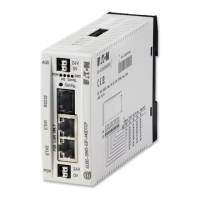
SmartWire-DT Gateway EU5C-SWD-EIP-MODTCP 08/17 MN120003Z EN www.eaton.com 31
3.2.2 MS-LED status display
Table 4: MS-LED at SWD coordinator
If the SWD and Config LEDs show a solid green light and the MS LED is
flashing with a green light, you have successfully completed the commis-
sioning process.
3.2.3 POW status display
Description MS LED Data exchange
Gateway - PLC
No power supply off No
The gateway has a valid planned SWD configuration
and it is ready for the establishment of an Ethernet/IP-
or Modbus-TCP connection
Green flashing No
Cyclic data exchange via Ethernet/IP or Modbus-TCP
active.
Green continuous
light
yes
The gateway is signaling a communications error. For
example, the original connection for cyclic data
exchange has not been terminated correctly and a
timeout has occurred.
Red continuous light No
The gateway is waiting for a field bus address to be
assigned via DHCP or BOOTP. As soon as the gateway
is assigned an address, the LED will flash with a green
light
Red flashing No
Description POW
Device ready for operation on
If the other three gateway LEDs are permanently red, the operating system or the
hardware is faulty.
If they show continuous orange light, the gateway is in Firmware Update mode.
This mode can be deactivated by switching on the power supply again.
off




 To Next Page