3 Commissioning
3.1 Putting the SmartWire-DT into operation
28 SmartWire-DT Gateway EU5C-SWD-EIP-MODTCP 08/17 MN120003Z EN www.eaton.com
discrepancies will depend on how the device parameters for the SWD coor-
dinator and the SWD modules have been configured → Chapter 8 "What
you need to know about SmartWire-DT“, page 81.
If a SmartWire-DT module drops out, it will be possible to continue running
the SmartWire-DT line with the remaining modules. This applies even after
the gateway is restarted or switched on again later. Please note that the
application program can always be used to diagnose cases in which a SWD
module has dropped out.
Import the target configuration in the following cases:
• Initial Commissioning
• Replacement of a defective module
• Whenever the SWD module layout on the SWD line is changed
The online functions of the SWD assist software offer a wide range of
options for the display and the diagnostics functions of the SmartWire-DT
line even without the active PLC → Section “8.8 SWD assist”, page 98.
3.1.1 Reading of target configuration
The target configuration needs to be imported the first time the device is
commissioned, whenever a module is replaced, and whenever the SWD
module layout on the SWD line is changed.
Requirements that must be met in order to import the target configuration:
• All SmartWire-DT modules are connected to the SmartWire-DT line.
• The SmartWire-DT line is connected to the gateway.
• Voltage POW is applied to the gateway and the POW LED lights up.
• Configurated power feeder module are connected.
• The SmartWire-DT status LEDs of the SWD modules are on or are flash-
ing.
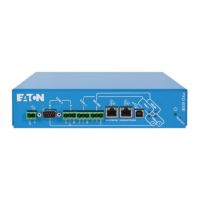
▶ Press the configuration button on the gateway for at least two seconds.
The SWD-LED on the gateway begins to flash orange. The SWD-LEDs
on the SmartWire-DT modules also flash.
→
The target configuration should only be imported for SWD lines
that have all the corresponding SmartWire-DT modules.
NOTICE
If you press the configuration button and a SWD module is
missing or has dropped out from the SWD line, only the mod-
ules up to the device that dropped out will be assigned an
address and stored. It will not be possible to use the remaining
modules until the defective module is replaced and the configu-
ration is imported again by pressing the configuration button.




 To Next Page