5 Commissioning the PLC programming environment
5.4 Updating the operating system
52 SmartWire-DT Gateway EU5C-SWD-EIP-MODTCP 08/17 MN120003Z EN www.eaton.com
5.4 Updating the operating system
In order to be able to update the operating system, you must first have
downloaded the latest version from our Support Center. To do so, follow the
steps below:
▶ Go to the Support Center and enter "SWD" into the quick search field.
▶ Select the "Operating system for the EU5C-SWD-EIP-MODTCP Ether-
net/IP-MOD-BUS-TCP-SmartWire-DT Gateway" software and click on
"Download."
▶ Once on the FTP server, click on directory "V1.0."
▶ Then click on "EU5C-SWD-EIP-MODTCP_V1.03_Build0051.bin" to start
downloading the file.
▶ Save the binary file in a folder of your choice.
To update the operating system on the gateway, follow the steps below:
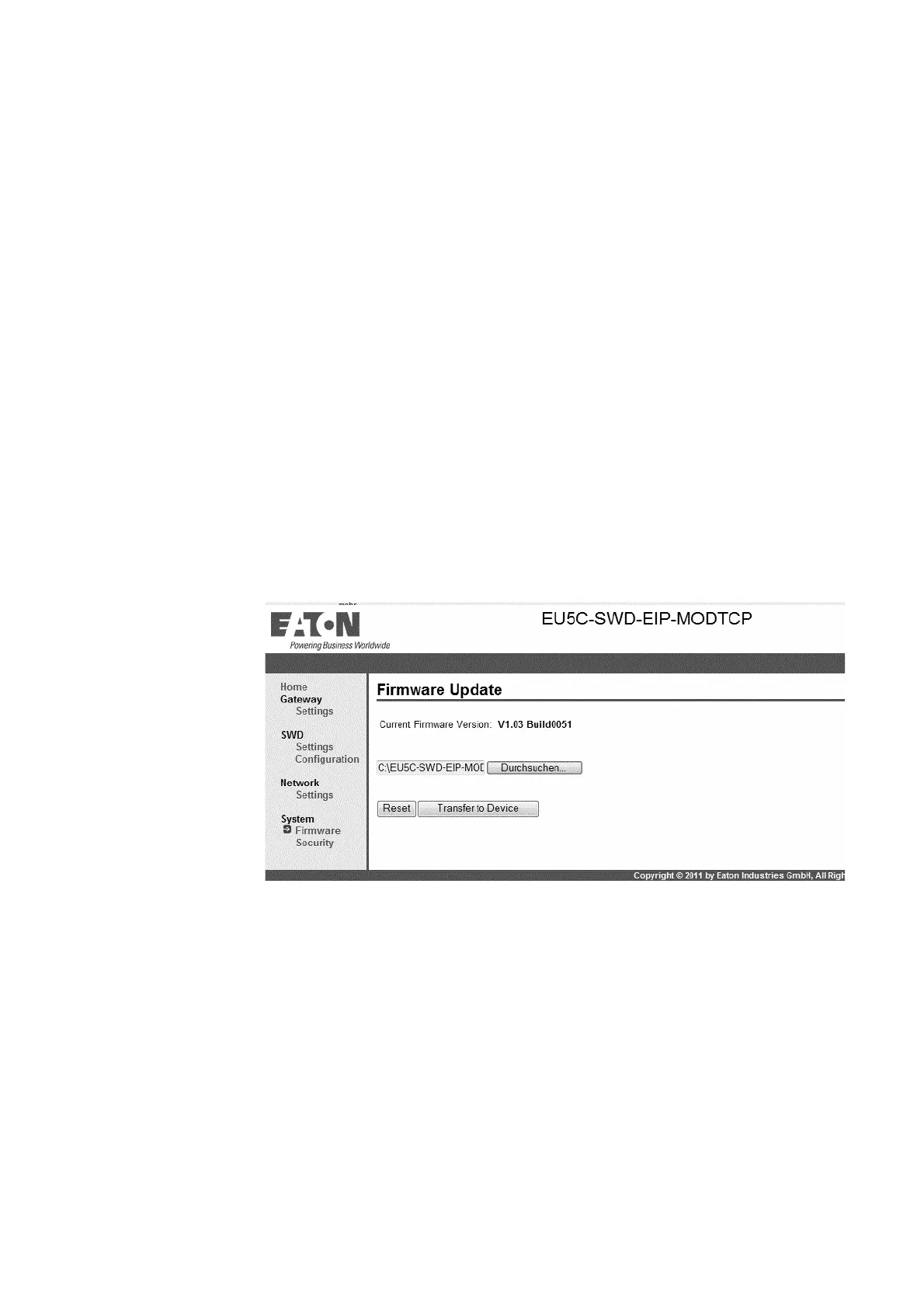
▶ On the web interface, click on the "Browse..." button and select the
"EU5C-SWD-EIP-MODTCP..." binary file from the folder where you saved
it.
▶ Click on "Transfer to Device."
The binary file will be transferred to the gateway.
Figure 34: Updating the operating system with the web interface
▶ Power cycle the gateway by turning it off and then back on.
The operating system is now updated.




 To Next Page