3 Commissioning
3.2 Take the field bus into operation
30 SmartWire-DT Gateway EU5C-SWD-EIP-MODTCP 08/17 MN120003Z EN www.eaton.com
3.2.1 Creating EthernetIP/Modbus-TCP field bus communication
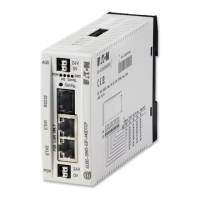
The green SWD LED on the gateway is used to indicate when the gateway
and the SmartWire-DT line are successfully communicating. This is a prereq-
uisite for communications between the gateway and the PLC via the field
bus.
If the planned SWD configuration matches the target configuration stored on
the gateway, the Config LED will show a solid green light
You will find the LEDs in → Section “Table 28: LED SWD coordinator”, page
97.
▶ Use the PLC programming environment to load the application program
into the PLC.
▶ Start the PLC.
→
If a monitoring time has not been set in the Modbus-TCP operat-
ing mode and a Modbus connection was active beforehand, the
MS LED on the gateway will continue to show a solid green
light even after the Ethernet cables have been disconnected!
→
Changes to the project, to the modules, or to the parameters
will make it necessary to store the planned SWD configuration
in the gateway once again.
If the fieldbus protocol has been changed (EtherNet/IP or Mod-
bus-TCP), the change will only take effect after the gateway is
restarted.




 To Next Page