5 Commissioning the PLC programming environment
5.1 For Ethernet/IP, using RSLogix 5000 as an example
46 SmartWire-DT Gateway EU5C-SWD-EIP-MODTCP 08/17 MN120003Z EN www.eaton.com
5.1.3 What the SWD-Assist CSV file looks like
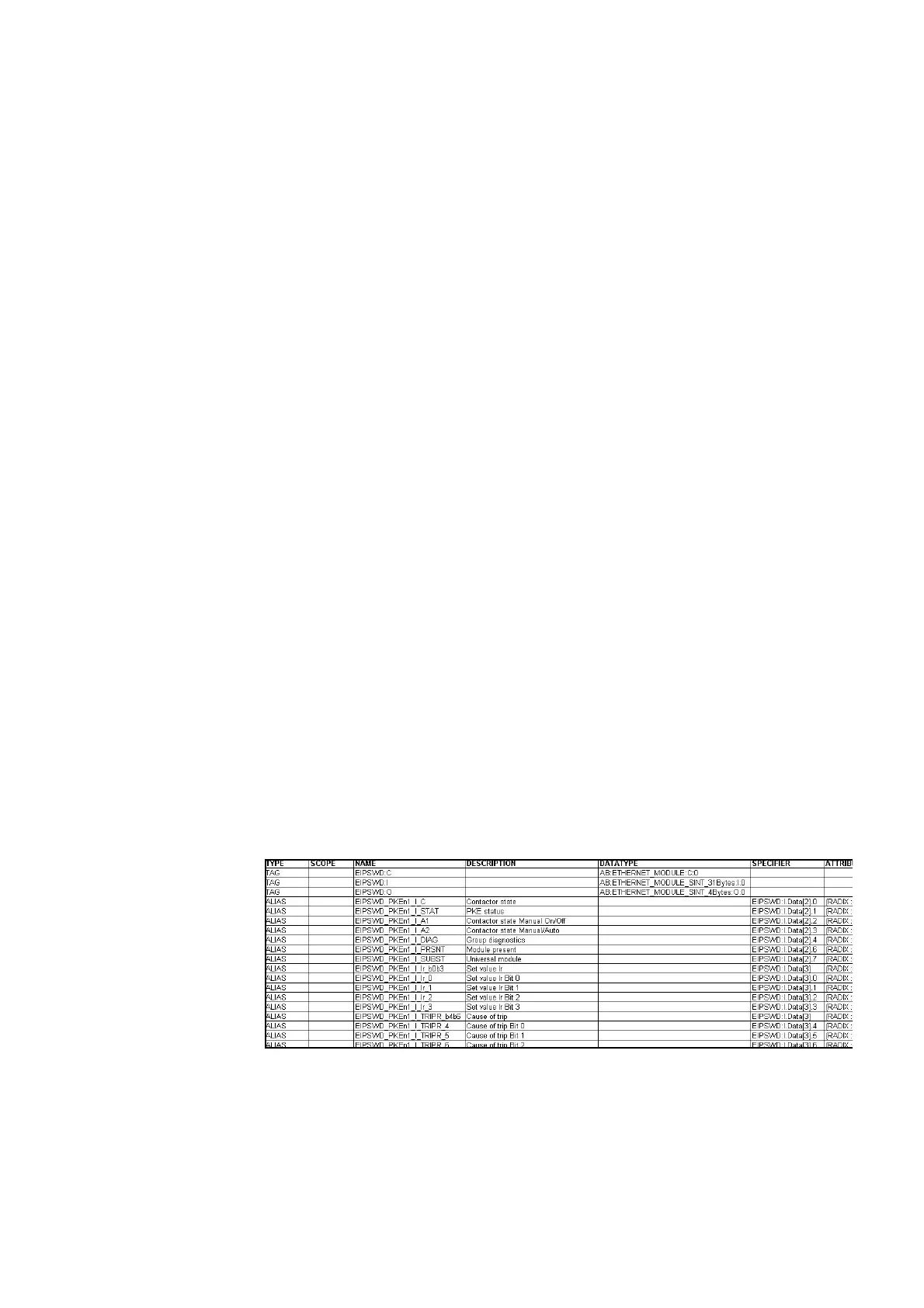
The table below shows how device names are used in I/O addresses and
symbolic names in the CSV file (CSV = Comma-Separated Value).
The I/O address ("Specifier" column) is made up of:
• The device name of the EtherNet/IP fieldbus module
(the EU5C-SWD-EIP-MODTCP gateway); "EIPSWD" in this particular
case
• A code used to indicate whether the address is for an input (I) or an out-
put (Q)
• The address information for the specific I/O data within the data space
The symbolic name ("Name" column) is made up of:
• The device name of the field bus module
(the EU5C-SWD-EIP-MODTCP gateway); "EIPSWD" in this particular
case
• The device name ("PKEn1" in this particular case) of the module for con-
necting a contactor to SmartWire-DT
• A code used to indicate whether the address is for an input (I) or an out-
put (Q)
• An individual name for the specific I/O data, e.g., "C" for the feedback sig-
nal for the contactor's position
Figure 29: Example: Extract from a CSV file with EtherNet/IP I/O data for RSLogix 5000
V19.01.00
→
Modifying the SWD line may affect the aforementioned data
volumes. Differences between the actual line and the specified
volumes will be indicated with the red Config LED on the gate-
way if, for example, the gateway detects that there are errors
after performing a configuration comparison. If this happens,
transfer the modified SmartWire-DT project to the gateway
again and update the values in the above dialog box if neces-
sary.




 To Next Page